NSW
Property boundary images on NSW reviews
For NSW contracts, Curia attaches satellite images with property boundary overlays to the title reference and land address fields.
This article applies only to New South Wales reviews.
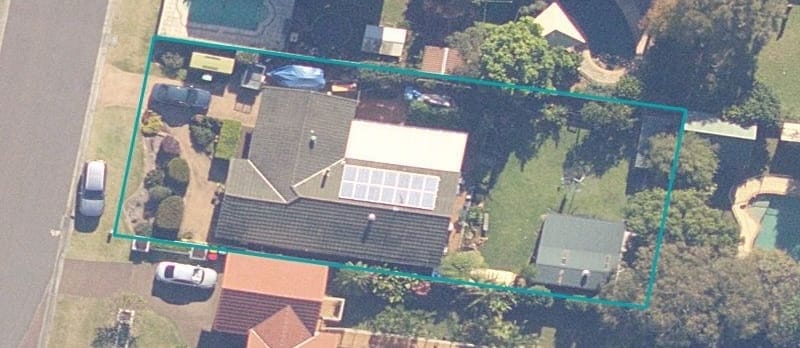
On an NSW contract review, satellite images with the property boundary outlined in teal are attached to the title reference and land address fields. The images are generated from NSW Government spatial data using the lot/plan details on the contract, and they ship in the client report alongside those fields.
Where the images sit
- Title reference - each registered title gets its own image showing only that title’s boundary. A contract with multiple titles has one image per title.
- Land address - a single combined image showing every title boundary together, useful for contracts spanning multiple lots.
When there are no boundary images
A boundary image isn’t attached when:
- The contract is for a property outside NSW.
- The title is unregistered or proposed (a plan of subdivision still being registered, for example).
- The lot/plan details are missing or couldn’t be parsed from the contract.
- NSW Government spatial data has no record of the property - most often a new development where the boundary hasn’t been published yet.
The title reference and land address fields still work normally in these cases - they just don’t carry an image.
Editing or removing the images
A boundary image behaves like any other field image once attached. You can:
- View it at full size by clicking the thumbnail.
- Edit it to add highlights or annotations.
- Add further images alongside it.
- Remove it from the field if you don’t want it in the report.