Owners Corporations
Manage Owners Corporations on a VIC review. Link OCs to titles, record certificate and financial details, and track manager and limitation status.
The Owners Corporations tab appears on VIC reviews and collects everything Curia has captured about each OC that affects the property.
List view
The OC tab opens on a list of every Owners Corporation Curia has identified on the contract.
Each OC sits on its own card, with:
- The OC number as the card heading
- The linked title names
- The limitation status
- The manager status
- An Inactive tag if the OC is marked inactive
- A Manually Linked badge if the link to a title was set by hand
Two controls sit on every card:
- A trash icon deletes the OC. See Deleting an owners corporation.
- Manage opens the detail view for that OC
Detail view
The detail view is where you read and edit everything about a single OC. The heading shows the OC number; the body is grouped by topic.
Linked titles
The Linked Titles list shows which titles in the contract belong to this OC. You can add or remove titles from this list.
Certificate and status
- The certificate date records the date of the Owners Corporation Certificate.
- The active toggle controls whether the OC is treated as active or inactive.
- The limitation field records the limitation on the OC.
Entitlement and liability
- Curia shows one row per linked title for lot entitlement and lot liability. Add or remove a linked title to add additional entitlement and liability information.
- Below the per-title rows, Curia totals the entitlement across all linked titles and shows the total number of lots in the OC.
Fees and finances
The fees group covers:
- Annual fees and the fee frequency
- Unpaid fees
- Special levies
- Anticipated works
- Total funds held by the OC
Insurance
Insurance status records whether building insurance is in place for the OC.
Manager and administrator
- When the OC is managed by a professional or self managed.
- If professional, the name of the management company.
Notices and proceedings
Two fields at the bottom of the detail view cover outstanding notices and current legal proceedings affecting the OC.
AGM minutes
Curia records the most recent AGM for the OC and the items from its minutes that the certificate doesn’t show.
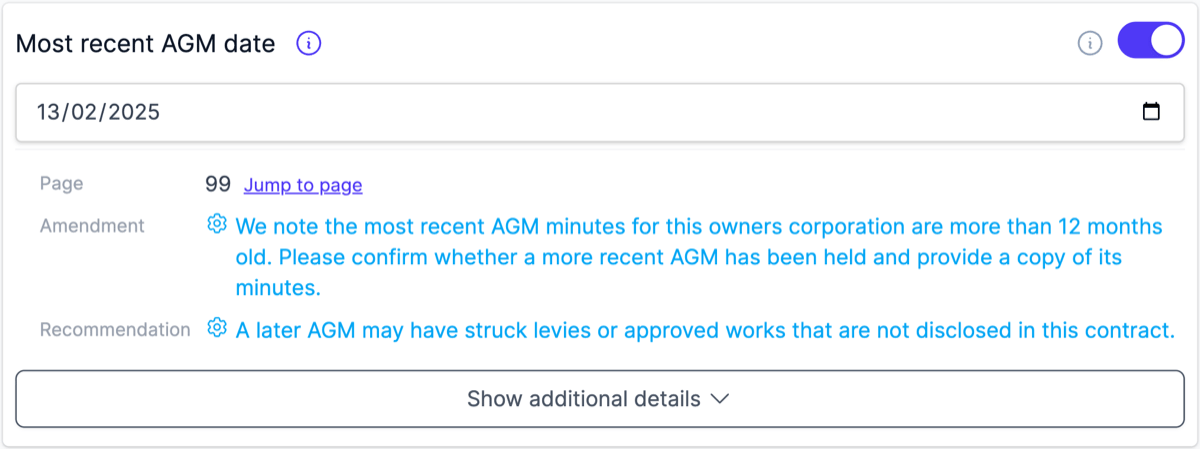
The Most recent AGM date field holds the date of the latest AGM found in the contract. When that meeting is more than 12 months old, the AGM minutes row in Preflight warns so you can ask the vendor for more recent minutes.
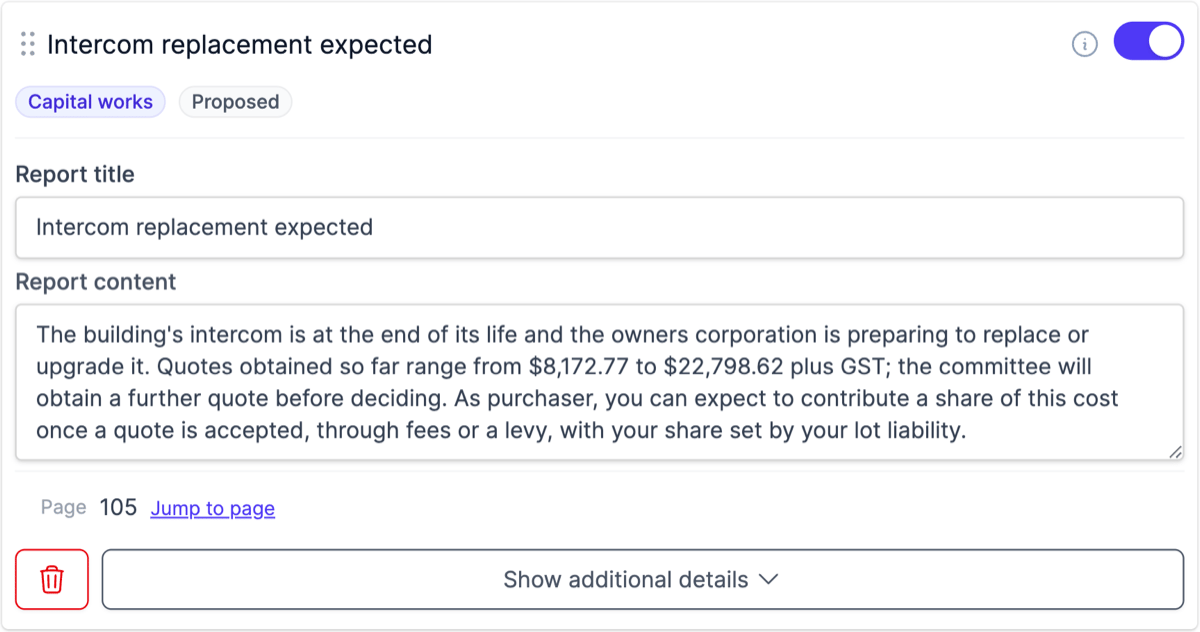
The AGM items card lists the costs, works, disputes, and defects raised in the minutes. Each item has a Report title and Report content you can edit. Each extracted item also carries a category tag, such as Special levies, Capital works, or Disputes, and a status tag showing whether it was proposed, resolved, or deferred at the meeting.
Curia checks each item against the OC certificate:
- Items it confirms are already settled start switched off, so they stay out of the report unless you switch them back on. Use the Jump to page link on a switched-off item to check it in the contract.
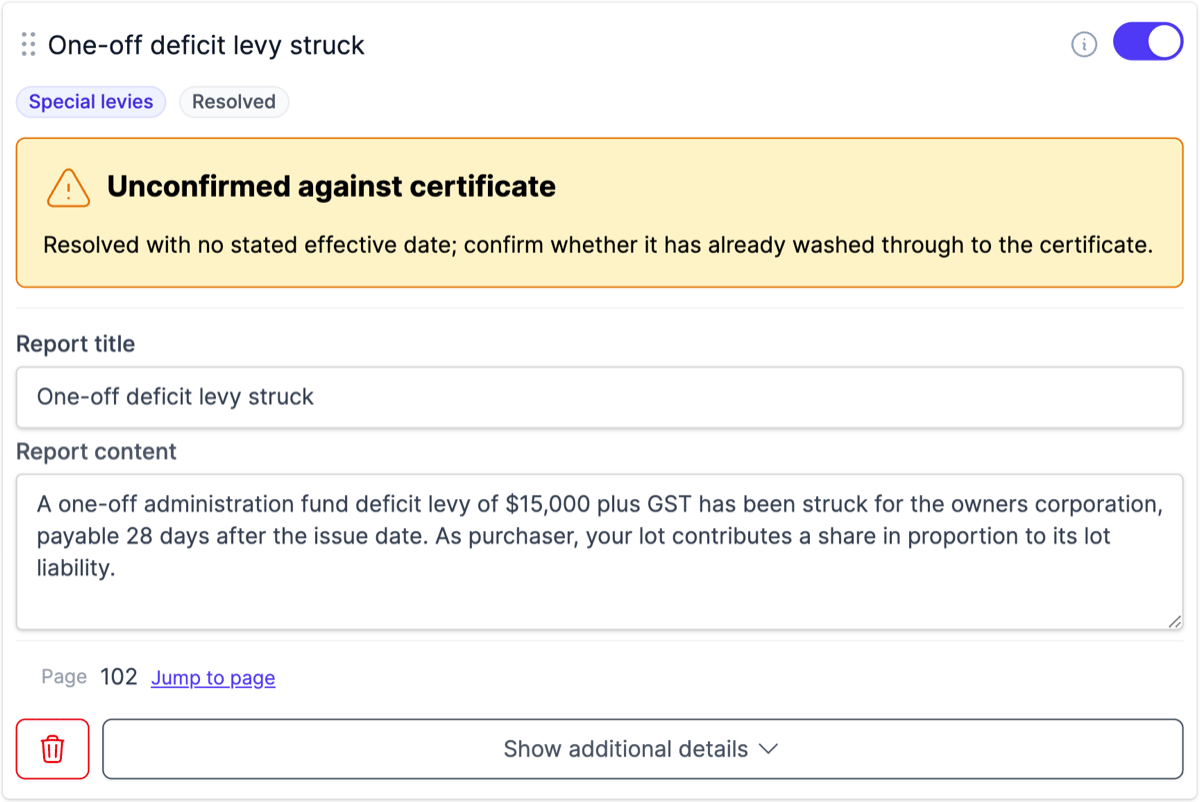
- Items it can’t confirm show an Unconfirmed against certificate warning with the reason, for you to check against the certificate yourself.

Hover the info icon beside an item’s toggle to read why Curia started it switched on or off. If you change the toggle yourself, the tooltip notes that the state was set by hand.

Drag an item by its handle to reorder it, or use the trash icon to remove it. Click Add new entry to record an item Curia didn’t capture.
Linking owners corporations to titles
Curia links each OC to the titles it applies to using the Owners Corporations section of the Register Search Statement for each title. An OC that can’t be linked to any title from the RSS is flagged as unmatched.
If you link an OC to a title yourself, the card shows a Manually Linked badge. The badge’s tooltip points to the Register Search Statement so you can verify the link against the registry document.
Unmatched OCs
When the contract contains one or more OCs that Curia couldn’t automatically link, an alert appears at the top of the list view. The alert lists the OCs in question and offers three actions for each:
- Link opens a flow to link the OC to a title yourself
- Dismiss removes the OC from the alert without linking it
- A jump action takes you to the page in the contract where the OC was identified
Dismissed OCs don’t disappear. They move into a restore list inside the same alert block, so you can bring one back into the unmatched list if you change your mind.
Adding an OC manually
If an OC is missing from the list, click Add owners corporation to create one. Curia opens the detail view with empty fields. Fill in the OC number, linked titles, and the rest of the details from the certificate or vendor statement.
Deleting an owners corporation
To take an OC out of the report entirely, delete it from the list view. Deleting removes the OC and everything recorded against it: its links to titles, entitlement and liability rows, fees, insurance, manager details, notices and AGM items.
Click the trash icon on the OC’s card.

Then click Confirm and the OC is gone. If you don’t confirm, the button goes back to the trash icon and nothing is deleted.
