The Dashboard
A snapshot of your firm's review workload: reviews uploaded, open reviews by age, reviews by user, team figures and the top agencies and postcodes.
Admins land on the Dashboard after signing in.
Period
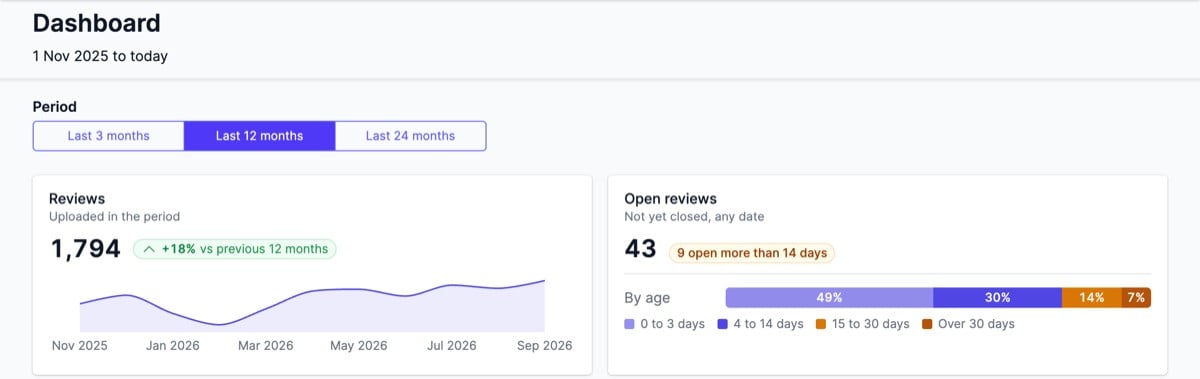
The Period control sets the date range for the review, team, agency and postcode figures. Open reviews, Open now and the last full month figure stay the same whichever period is selected. The page header shows the date the period starts from. The shortest period is broken down week by week; the longer periods month by month.
Reviews
The number of reviews uploaded in the period, with a line showing the trend across each complete week or month. Where a comparison is available, a label shows the percentage change against the previous period of the same length.
Open reviews
Every review on the account that is not yet completed or closed, regardless of when it was uploaded. A bar splits them by how long they have been open, and a warning label counts the reviews open more than 14 days.
How busy we are
Reviews by user
A bar chart of reviews uploaded each week or month, with each bar split by the user the review is assigned to. The current week or month is counted to date. Hover over a bar to see the breakdown.
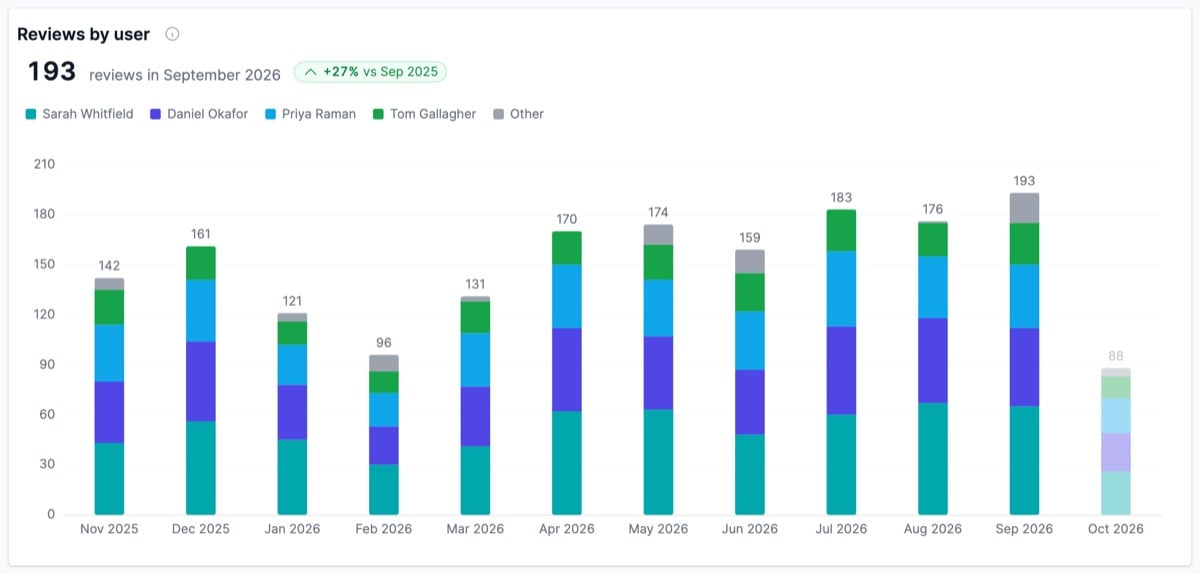
The panel also shows the number of reviews in the last full month, with the percentage change against the same month a year earlier.
Reviews assigned to former users, or to no one, are grouped as Other.
Who is doing the work
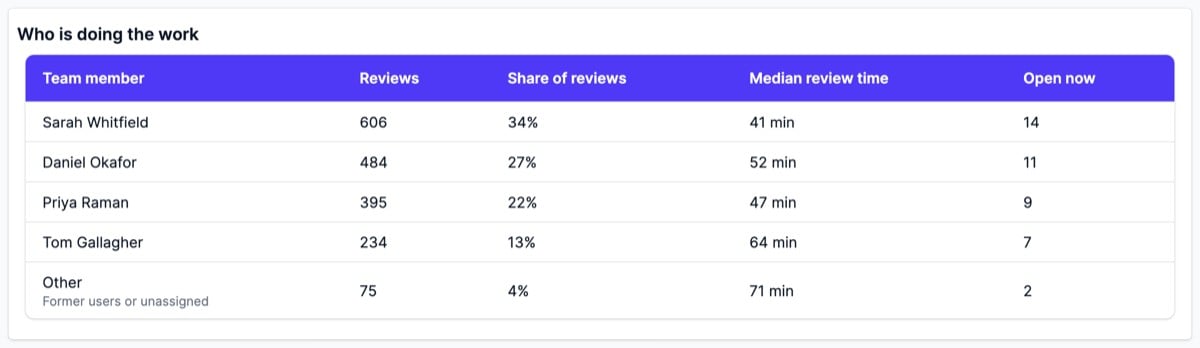
A table with one row per team member, plus an Other row for former users or unassigned reviews:
- Reviews - reviews uploaded in the period
- Share of reviews - that member’s share of the period’s total
- Median review time - the typical time taken on their reviews in the period
- Open now - reviews assigned to them that are still open, regardless of period
Where the work comes from
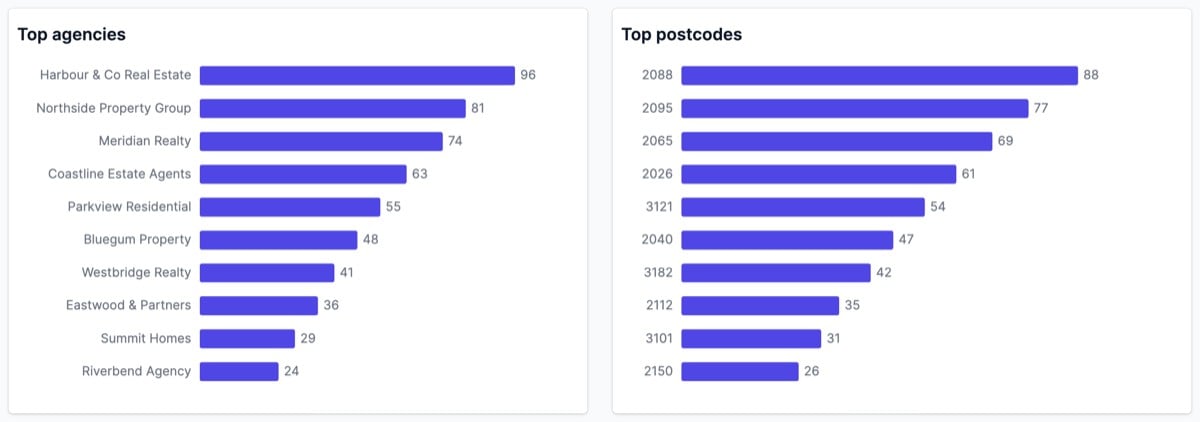
Top agencies and Top postcodes rank the 10 agencies and postcodes that appear most often on reviews uploaded in the period.