Using the Rescission Date field
Capture when either party can rescind the contract - a fixed date, a period after exchange, or both, with optional vendor extension.
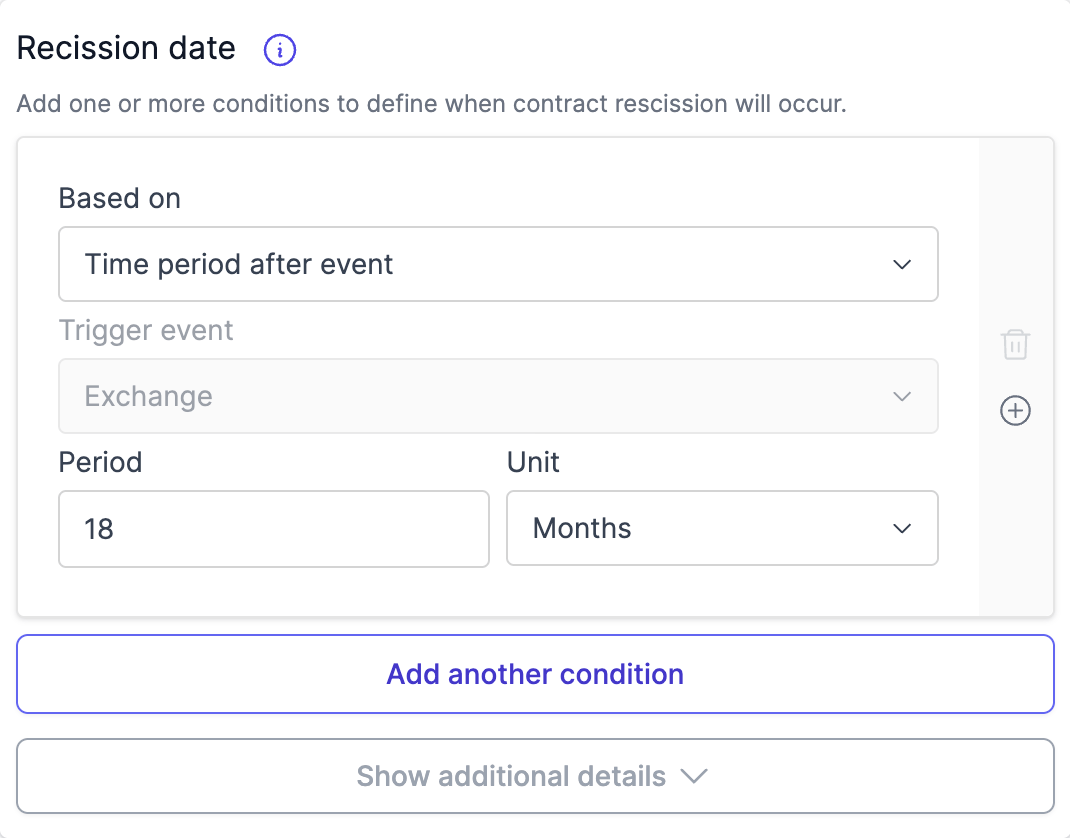
The Contract Rescission Date field on the Exchange tab captures when the contract becomes rescindable. Curia pre-fills it during processing; you can edit, add conditions, or set the value by hand.
How automatic detection works
When Curia detects a rescission condition during processing, the field is pre-filled and expanded to show the condition. When no rescission condition is detected, the field stays collapsed; add conditions manually if the contract requires them.

NSW NSW: details specific to New South Wales reviews
Curia pre-fills the field from the rescission conditions found in the contract’s Special Conditions. NSW unregistered (off the plan) contracts also fall back to a 6-month-after-exchange default when no condition is detected, in line with clause 28.2 of the standard contract.
VIC VIC: details specific to Victoria reviews
Curia resolves the rescission date from the contract’s clauses. Clauses categorised as Sunset / rescission date on the Clauses tab feed the rescission date field automatically. If no qualifying clauses exist, the field stays empty.
Adding a condition
Each condition has a Based on type:
- Time period after event - a period after exchange.
- Specific date - a fixed calendar date.

Time period after event
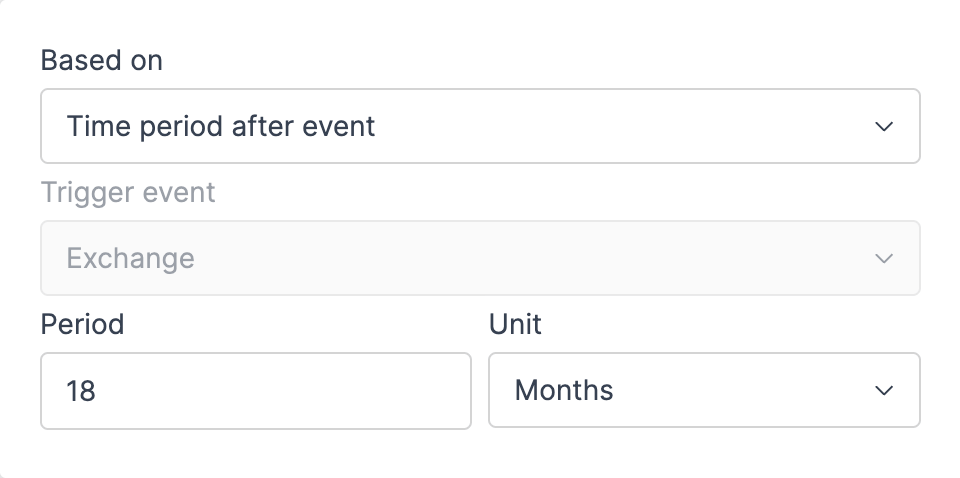
The trigger is locked to Exchange - there’s no other trigger for rescission dates. Enter the Period number and pick the Unit (Days, Weeks, or Months).
Specific date
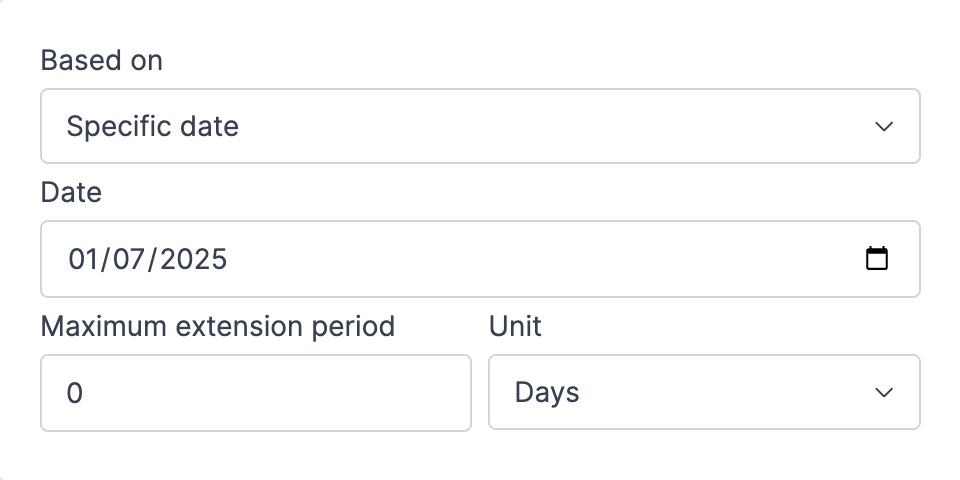
Pick the calendar date.
Vendor extension
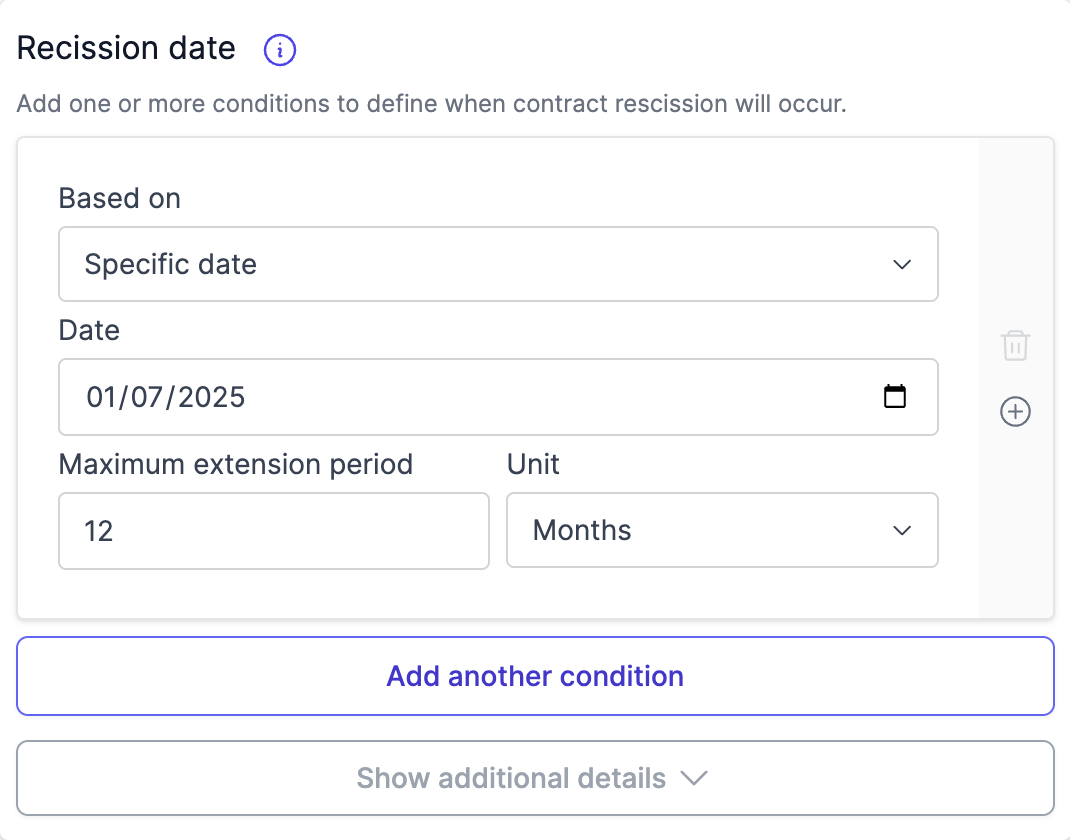
Each condition can also carry a Maximum extension period that lets the vendor push the rescission date out. The extension fields sit inline below the period/date inputs. Enter the extension number and pick its unit (Days, Weeks, or Months).
Multiple conditions
Click Add another condition to add more (up to five). Once two or more conditions exist, a Multiple conditions timing dropdown appears with two options:
- Latest date among conditions - rescission becomes available on the latest of all dates.
- Earliest date among conditions - rescission becomes available on the earliest of all dates.
To remove a condition, click the bin icon on its card. The last remaining condition can’t be deleted.
Report wording examples
- Single fixed date: “If not already completed the contract can be rescinded by either party from 12 December 2025.”
- Single offset: “If not already completed the contract can be rescinded by either party from 548 days after exchange of contracts.”
- Single offset with known exchange date: “If not already completed the contract can be rescinded by either party from 548 days after exchange of contracts, being 16 July 2025.”
- Fixed date with vendor extension: “If not already completed the contract can be rescinded by either party from 12 December 2025. The vendor can elect to extend this rescission date a maximum of 12 months to 12 December 2026.”
- Multiple conditions with earlier of rule (with known exchange date 15 January 2024):
If not already completed the contract can be rescinded by either party from the earlier of:
a) 12 December 2025.
b) 18 months after exchange of contracts, being 15 July 2025.
FAQ
How is the field pre-filled?
NSW NSW: details specific to New South Wales reviews
Curia extracts the rescission information from the contract’s Special Conditions during processing.
VIC VIC: details specific to Victoria reviews
Curia resolves the field from clauses categorised as Sunset / rescission date on the Clauses tab during processing.
Can I override what was extracted?
Yes. Edit the field directly - change the period, switch to a specific date, or add an extension.
Can I add multiple rescission conditions?
Yes, up to five. Use Latest or Earliest to combine them.