Working with dealings (VIC)
How Curia populates dealings on each VIC title search from instruments, plan easements, restrictions and MCPs, and how to manage them.
Curia populates the Dealings section on each title search of a VIC review and lists the dealings affecting that title. The dealings come from four places in the contract, and each carries a report title and description ready for the client report.
Where dealings come from
Curia reads dealings for each title from four sources and lists them together in the Dealings section:
- Registered instruments named on the Register Search Statement, such as mortgages, covenants, and caveats. Curia reads the instrument document where it is included in the contract.
- Easements on the plan of subdivision. Curia reads the easement table on the plan and understands from the plan diagram whether each easement affects your lot.
- Plan-created restrictions, such as single-dwelling covenants, building envelopes, and materials restrictions when their terms are printed on the plan.
- Memoranda of Common Provisions (MCPs) included in the contract that apply to your lot, even when nothing on the title refers to them yet.
Each dealing is matched to a category in your Dealing Library, which sets the default visibility. See Managing dealings for the Library settings.
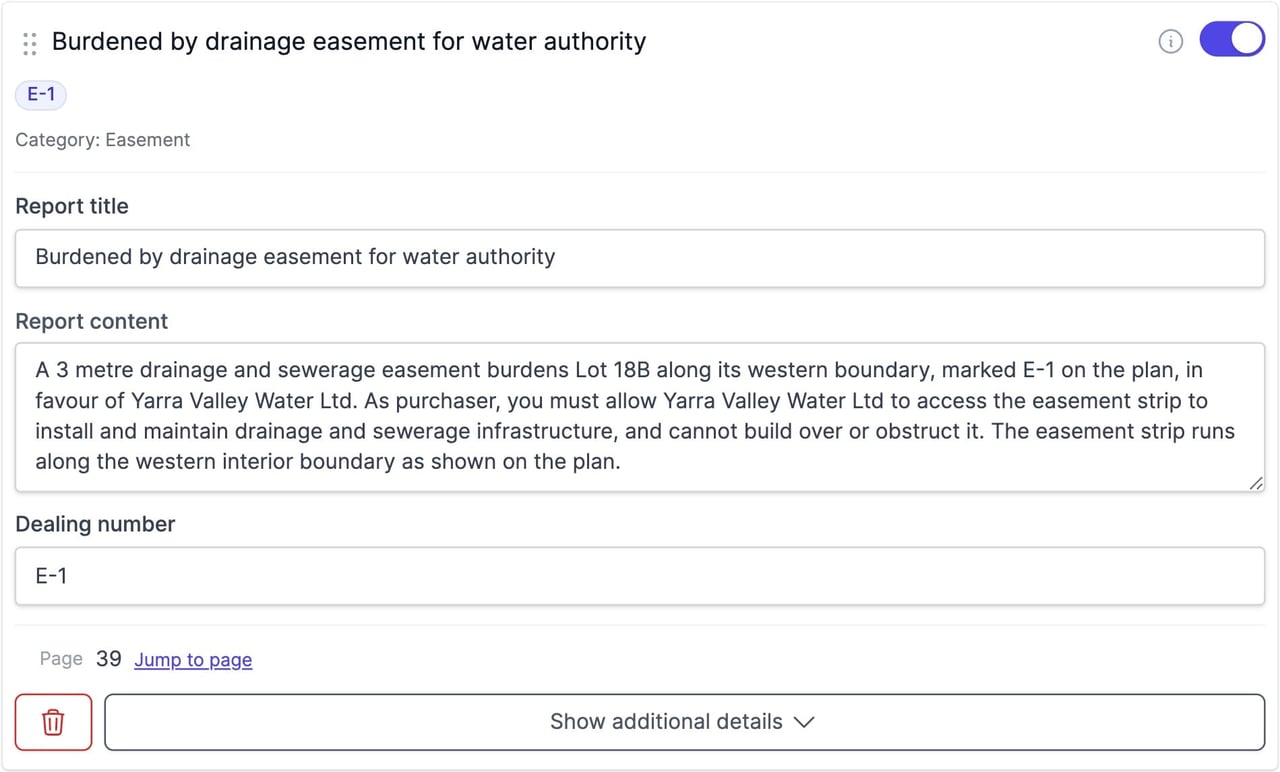
Where a dealing has a registered number, it shows as a badge on the card. Where the dealing’s page is known, click the badge to jump to it in the contract.
Burden and benefit
For dealings read from the plan, Curia records whether the dealing burdens your lot, benefits it, or both, and writes the report description to match. A mutual arrangement where your lot sits on both sides is recorded once, as both, rather than as two separate dealings.
Memoranda of Common Provisions
Curia lists an MCP on a title when either:
- the MCP names the plan of subdivision your lot is on, and your lot is among the lots it applies to
- a registered instrument on that title, or a plan restriction that burdens your lot and hasn’t expired, quotes the MCP’s number
Each MCP is listed once on the title, after the other dealings, with a summary of its provisions. Curia writes the description of a dealing that quotes the MCP to refer to it rather than repeat its terms. Hover over or tap that dealing’s toggle to see which MCP holds its terms.
An MCP past its expiry date isn’t listed.
Off the plan contracts
On an off the plan contract the dealings list is split between the proposed lot and the parent title, and the sections are named Proposed Dealings and Parent Dealings. An MCP that applies to the proposed lot is listed under Proposed Dealings, not on the parent title. See Using Curia for off the plan contracts.
When a document is missing
A registered instrument named on the title is expected to have its document in the contract. When Curia can’t find the document for an instrument, the dealing shows a Dealing not located warning and falls back to your Library’s report wording for that category.
Some categories are marked Prescribed in your Dealing Library, meaning the document is legally required to be attached to the contract. When a prescribed dealing’s document is missing, a Prescribed badge appears on the card, and Curia adds the matching amendment and recommendation automatically.
The same applies to an MCP that a dealing on the title quotes but that isn’t in the contract. Memorandum of Common Provisions is a prescribed category, so on a registered title the card shows the Dealing not located warning and the Prescribed badge. On a proposed lot the MCP is listed without either.

Visibility
Each dealing card has a visibility toggle that decides whether the dealing appears in the report. The default comes from your Library configuration for that category and applicable title search, and the toggle on the review overrides the default for this review. Hover over or tap the toggle to see the default and why the dealing is on or off. Admins can make a change the firm default. See Setting a firm default from a review.

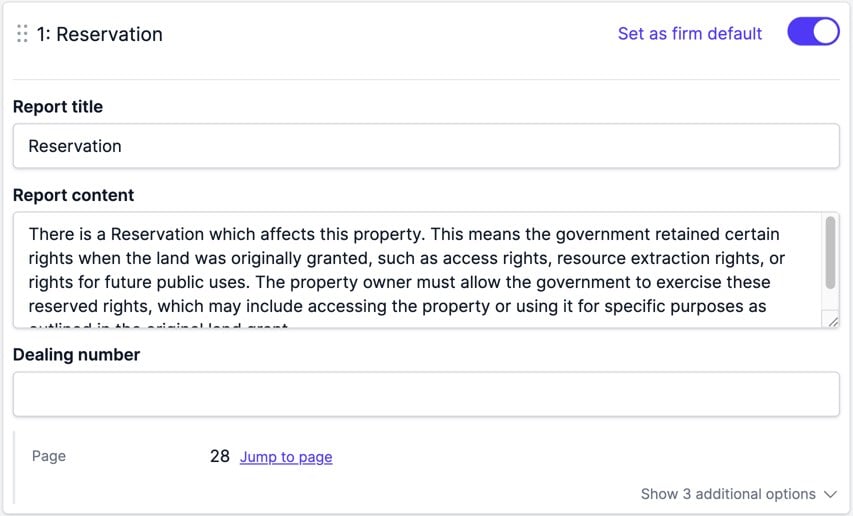
The Dealings card also has a master toggle that flips every standard dealing on the search at once, reading Include all or Exclude all. The master toggle doesn’t affect custom dealings, which stay visible regardless.
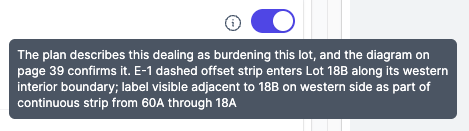
Easements are attributed from the plan diagram. When the plan’s wording lists an easement as burdening your lot but the diagram doesn’t show it falling on your lot, Curia keeps the easement on the title search and switches its visibility off, so it’s excluded from the report by default. An information icon next to the toggle explains why. Switch the toggle on to include it if you disagree.
Filtering the list
Above the dealings, a search box matches against each dealing’s title, category, content and number. The filter button beside it shows or hides three filters, and each option shows how many dealings it would leave:
- Show narrows to dealings included in or excluded from the report.
- Category narrows to one dealing category.
- Effect narrows to dealings that benefit or burden the land, or both.
When the list is narrowed, Clear filters resets the search and filters. Reordering dealings by dragging is available only when no search or filter is active.
Adding dealings manually
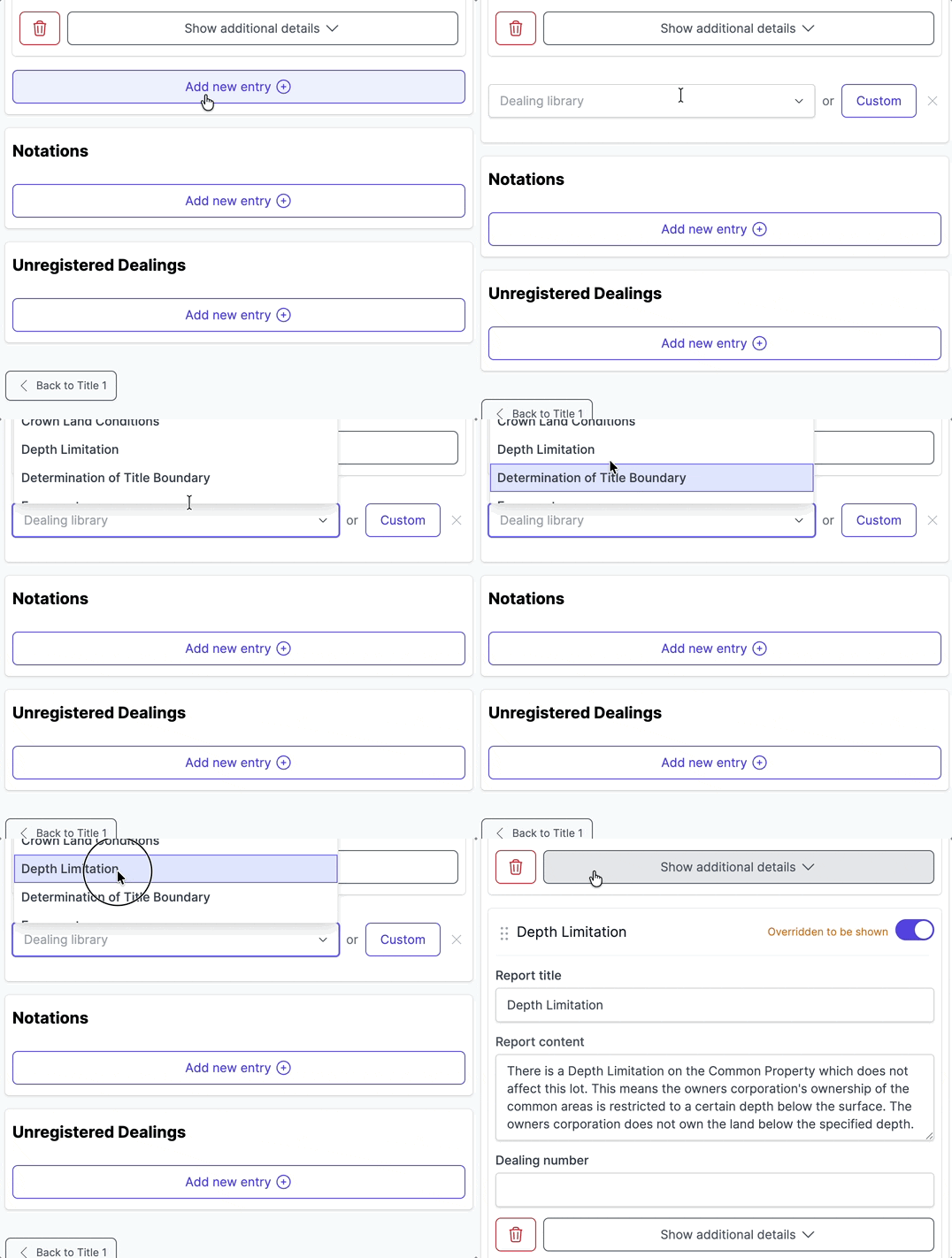
The Dealings section has a Dealing library dropdown at the bottom for adding a standard dealing from the catalogue, or click Custom to create a one-off entry. A custom entry can be saved back to the Library with Add to library, see Adding content to library during review.
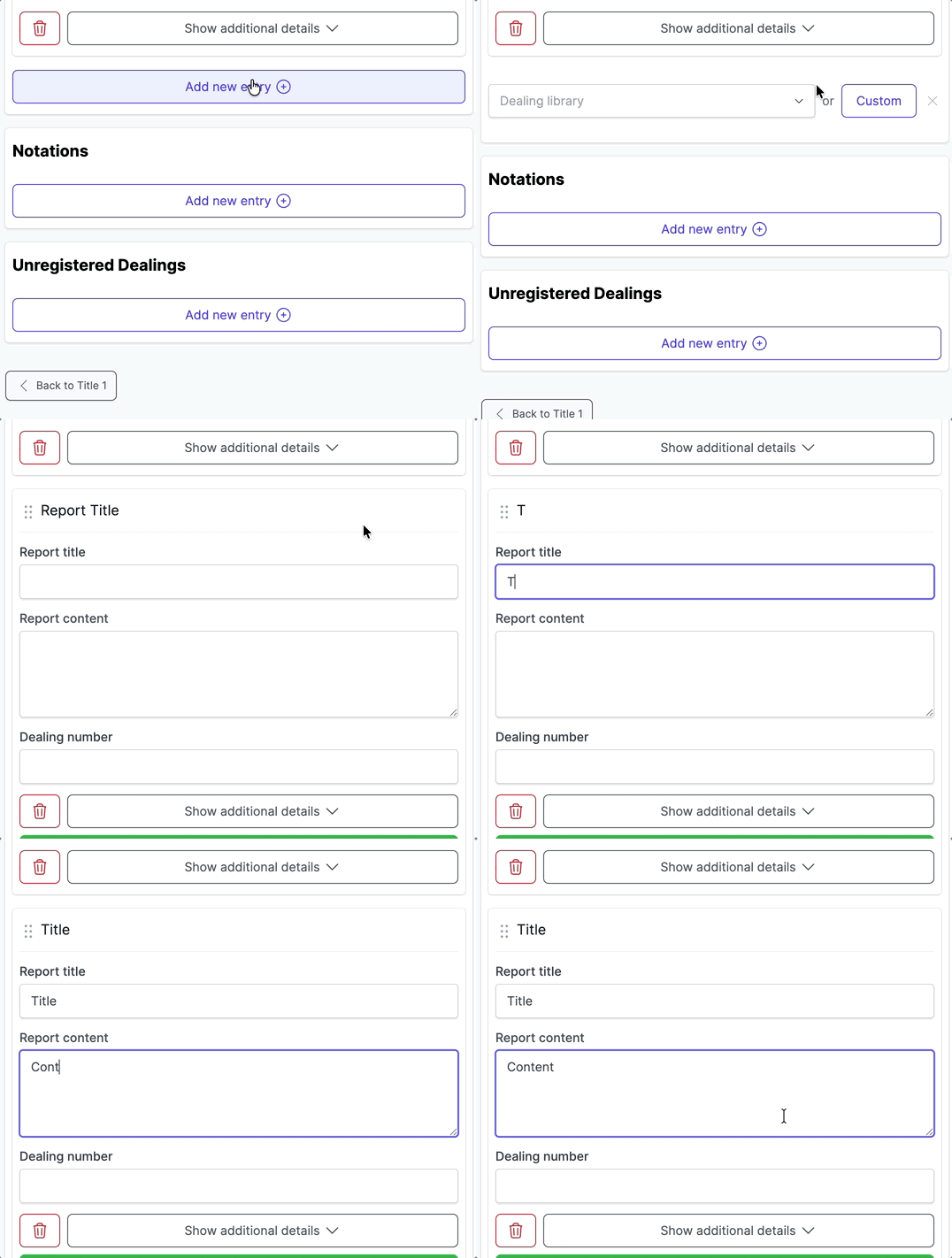
Custom dealings
Custom dealings cover encumbrances outside the standard catalogue. Compared to standard dealings:
- You enter the details yourself.
- A custom dealing saved to the Library is available across every review in the account. See Managing dealings.
- The master Include all / Exclude all toggle on the title search doesn’t affect custom dealings.
Deleting a dealing
Click the bin icon on the dealing card and confirm in the dialog.
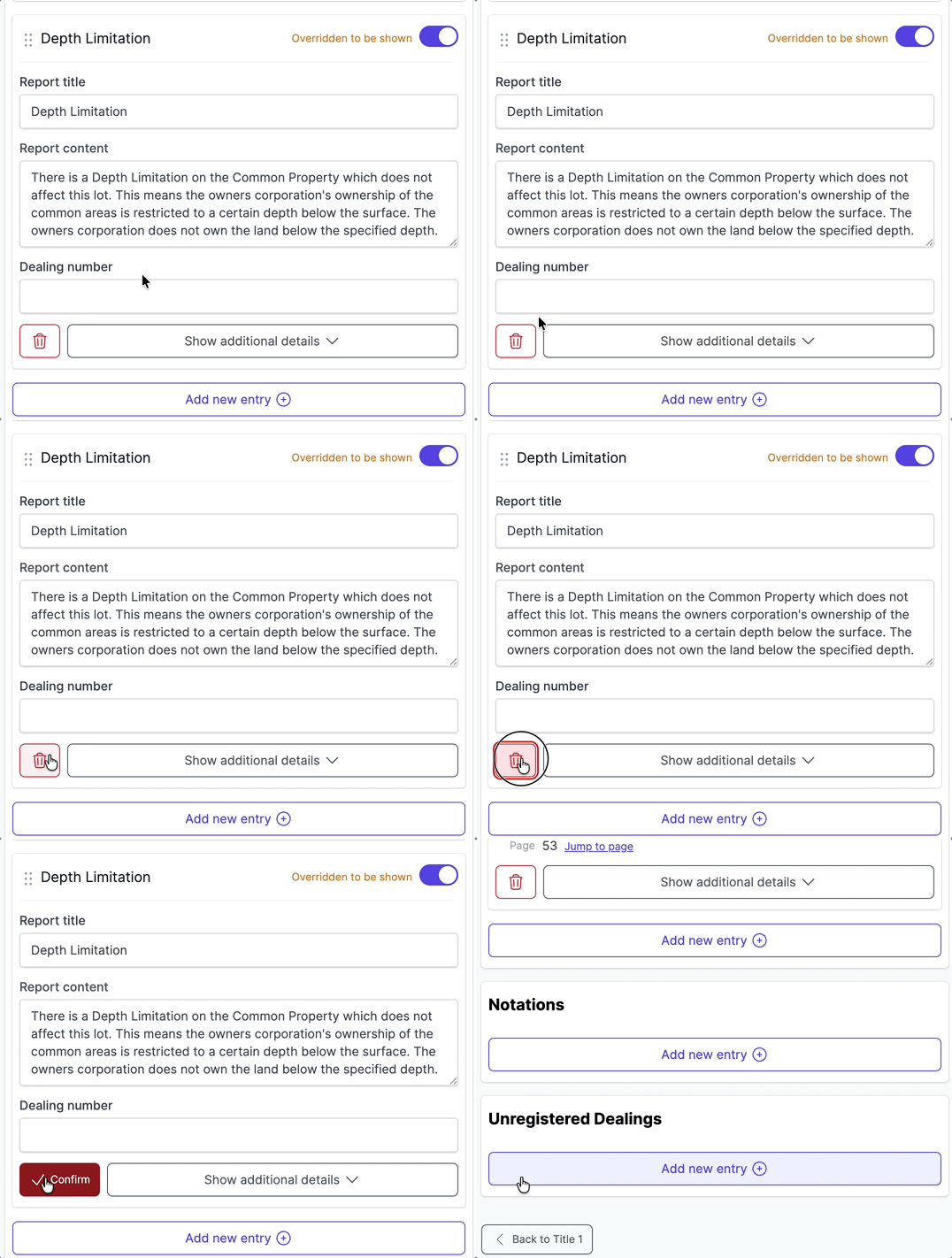
Notations and unregistered dealings
Notations are administrative records on the title search that don’t create rights or obligations. They sit in their own section with an Add new entry button; add, edit, or remove them like any other field.
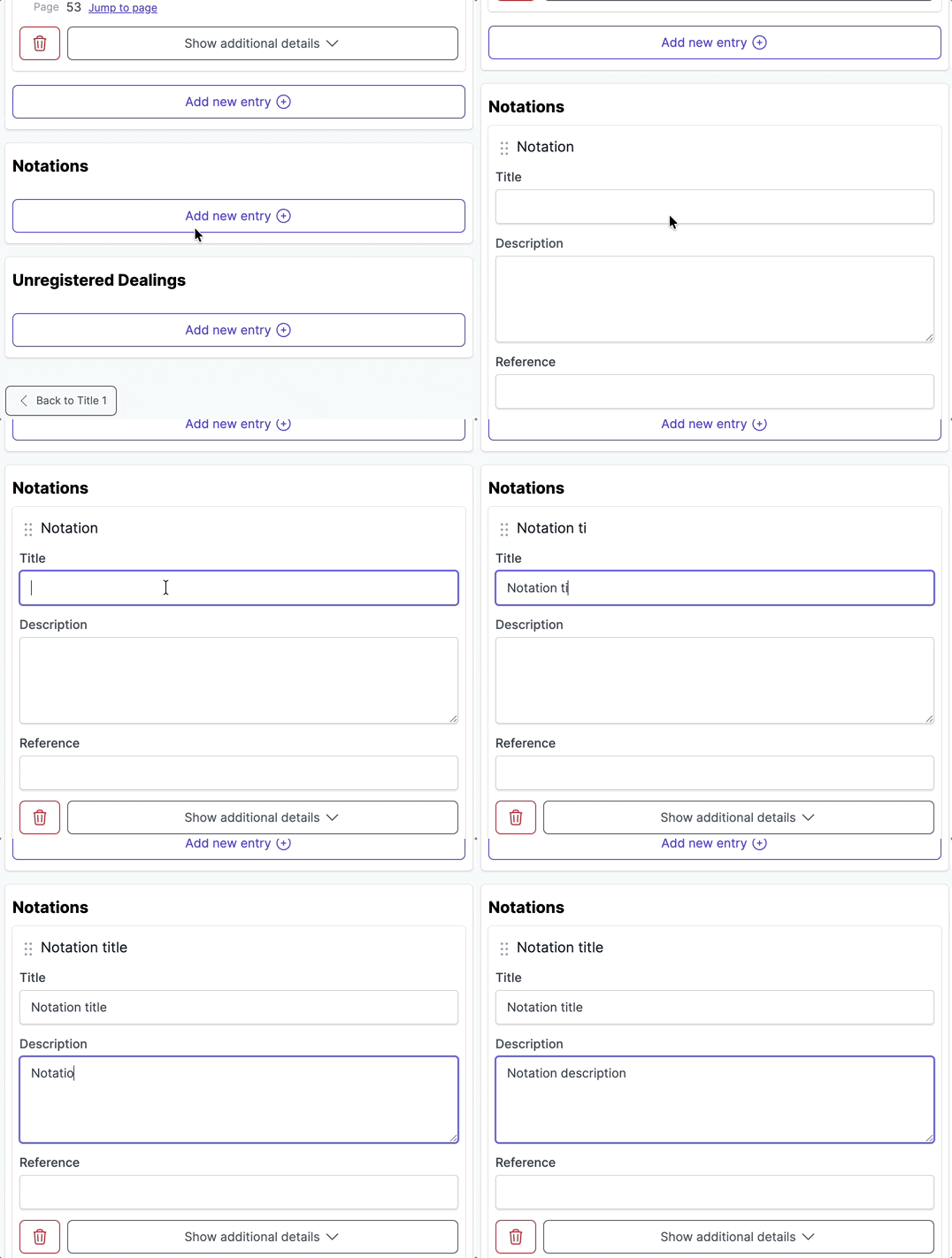
Unregistered dealings are agreements that have been lodged but not yet registered against the title. They sit in their own section under the dealings list, also with an Add new entry button.
FAQ
Why does a dealing show a warning?
A registered instrument named on the title doesn’t have its document in the contract. If the category is also marked Prescribed, source the document and update the contract, or accept the warning and let the automatic amendment go out.
Can I add a dealing that wasn’t picked up?
Yes. Use the Dealing library dropdown at the bottom of the Dealings section to add a standard dealing, or click Custom for a one-off entry.
Can I save my own dealing wording to the Library?
Yes. Click Add to library on a custom dealing card. See Adding content to library during review.
Why isn’t a plan easement showing in the report?
Curia includes an easement in the report by default only when it affects your lot. Easements on the plan of subdivision that don’t fall on your lot aren’t created.
Why is a plan easement toggled off when its category is included?
Even when the category’s default visibility is on, Curia switches an individual easement visibile off when the plan lists it as burdening your lot but the diagram doesn’t show it falling on your lot. The information icon next to the toggle explains why, and you can switch it on to include it if you disagree.