Report versions
Every report you download is captured as a version, so you have a record of what was delivered to each client and can download it again later.
A version is fixed: later edits to the review or the report never change it.
Where versions live
Versions are listed on the Download step of the Finalise tab, under Current version and Previous versions. The most recent capture is the current version.
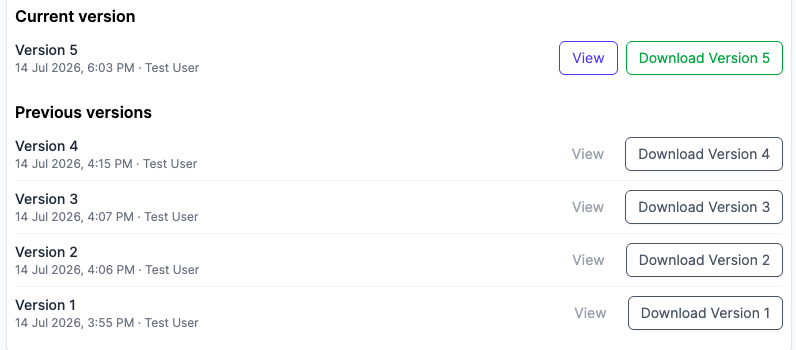
Each row shows the version number and the date and time it was captured, alongside who downloaded it. Numbers run in capture order, so Version 1 is the first report delivered on that review.
Downloading a version
Each row has a download button carrying its own number, such as Download Version 1. It gives you the report exactly as it was delivered, unaffected by anything changed since.
Click View to read a version in Curia without downloading it. It opens read-only in a new tab. Some older versions have no View button and can only be downloaded.
When a version is captured
Downloading the same review twice without changing anything in between doesn’t add a second version. Reopen the review, change it, and download again, and the new report is captured alongside the old one.
Reopening a review does not remove its versions. See Finalising and downloading your report.
A review completed some time ago may have no stored report and no version to download. Its Finalise tab offers Generate report in place of the draft; downloading what it produces captures a version.