Working with dealings (NSW)
How Curia extracts dealings from each title search, when warnings appear, and how to manage visibility, related dealings, and custom entries.
Curia reads the dealings out of each title search during processing, categorises them against your Dealing Library, and presents the result on the Title Search view of the review.
Extraction during processing
For each title search Curia:
- Identifies every dealing on the title.
- Matches each one to a category in the Dealing Library.
- Reads the dealing number.
- Applies your account’s default visibility for each category.
The Dealing Library carries the categories Curia matches against and the report content for each. See Managing dealings for the Library settings that drive default visibility and the report content.
NSW ships over 40 dealing categories.
Enriched dealings
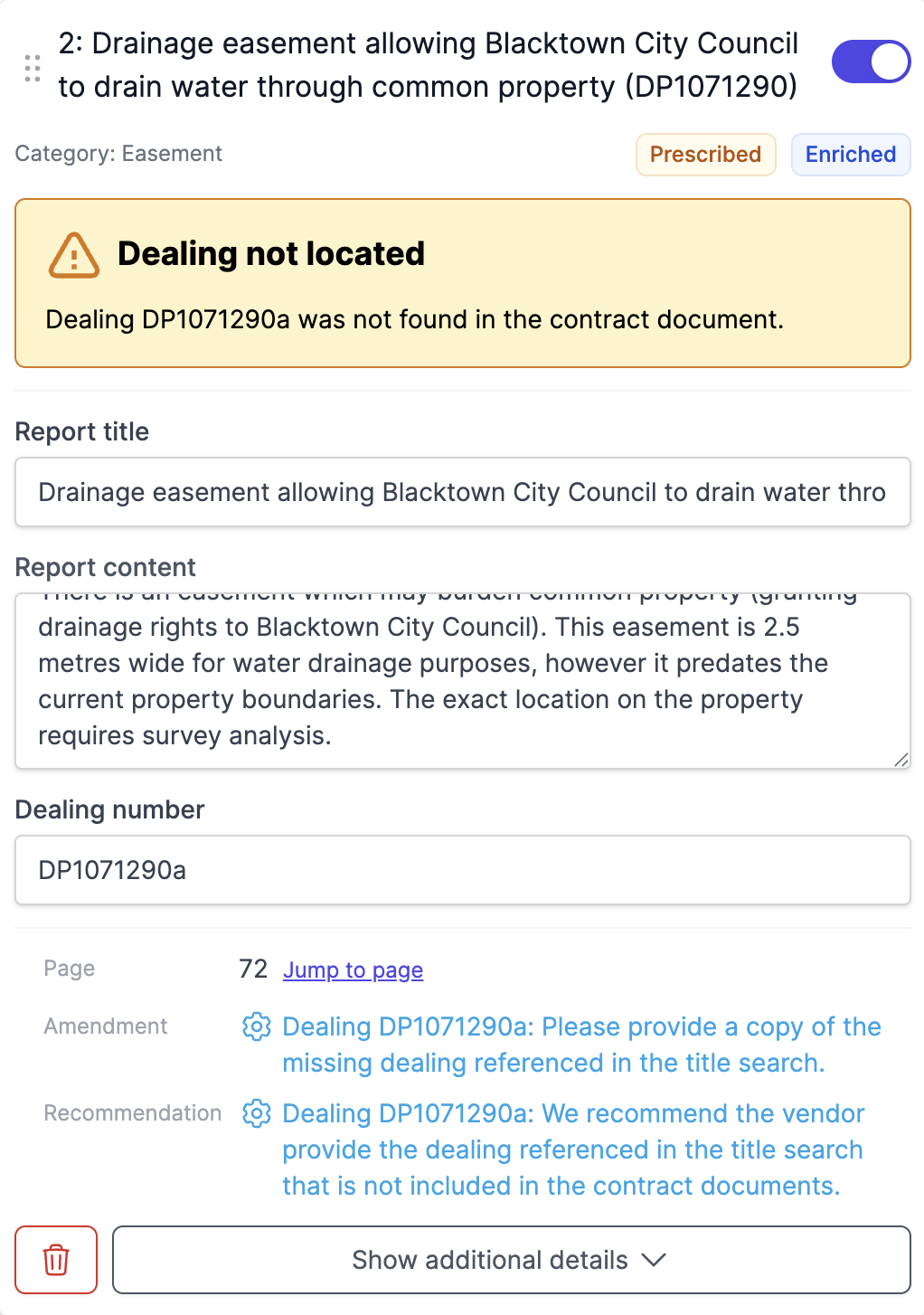
For certain categories Curia reads extra detail out of the dealing document - the location of an easement, the obligations under a covenant, the access route for a right of carriageway, and so on - and uses that detail in the report instead of the generic Library text. Those dealings carry an Enriched badge on the card.
NSW enriched categories include easements, positive and negative covenants, rights of carriageway, rights of footway, rights of access, restrictions on use, planning agreements, profit à prendre, notices of acquisition, and several lease and partial-extinguishment types.
If a dealing’s underlying document is missing or unreadable, the enrichment for that dealing won’t run - the dealing card still appears, using the standard Library content.
Prescribed dealings and warnings
Some dealing categories are flagged Prescribed in the Library - they are legally required to be disclosed in the contract. A Prescribed badge sits on the card, with the tooltip “Required by law to be attached to the contract. Purchaser may be able to rescind if missing.”
When a Prescribed dealing is listed on a title search but the dealing document isn’t found in the contract, Curia raises a warning on the dealing and adds the corresponding amendment and recommendation automatically.
Non-prescribed dealings (mortgages, caveats, and so on, which are typically discharged on settlement) don’t trigger a warning when the document is missing.

Related dealings
Some dealing titles cross-reference other dealings using “SEE” followed by another dealing number - for example EASEMENT TO DRAIN WATER SEE K789012. Curia treats the referenced dealing as a related dealing.
- The related dealing inherits the warning behaviour of the main one.
- Full enrichment requires both the main and related dealing documents.
- A missing related dealing on a prescribed category produces a warning that names which dealing is missing.
Off the plan: draft dealings
On an off the plan contract, the title searches under each Proposed Title carry draft dealings rather than registered ones. Draft dealings come from the unregistered dealings included with the contract (typically Section 88B instruments).
Differences from registered dealings:
- Numbers - draft dealings don’t carry a registered dealing number.
- Language - the report says these dealings “may affect” the property rather than “affect” it.
- Warnings - draft dealings don’t trigger prescribed-document warnings.
Visibility
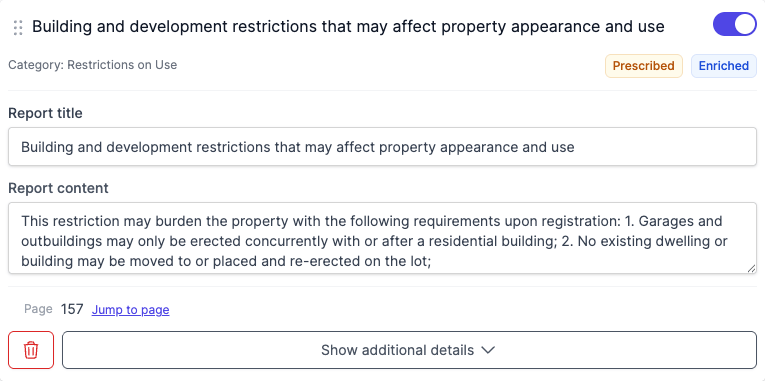
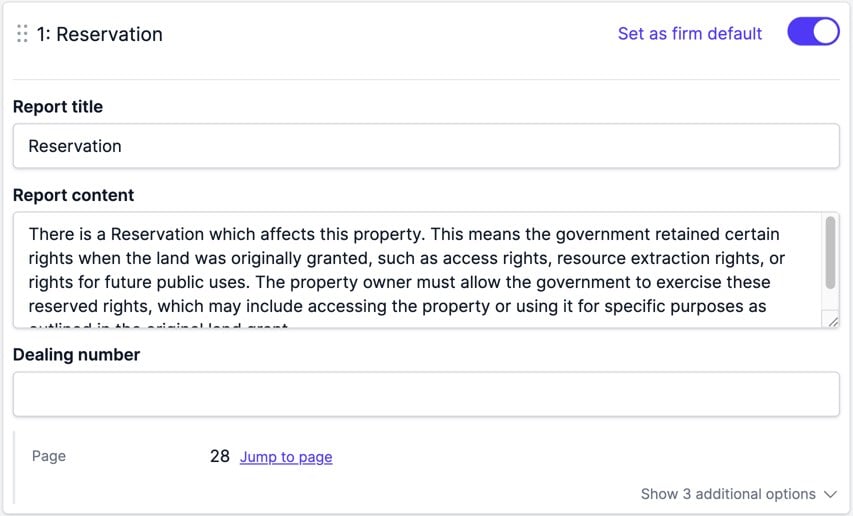
Each dealing card has a visibility toggle that decides whether the dealing appears in the report. The default is set by your Library configuration per property type, and the toggle on the review overrides the default for this review. Hover over or tap the toggle to see the default and why the dealing is on or off. Admins can make a change the firm default. See Setting a firm default from a review.
Each title search section also has a master Show all / Hide all toggle that flips every standard dealing on the search at once. The master toggle doesn’t affect custom dealings - they stay visible regardless.


Filtering the list
Above the dealings, a search box matches against each dealing’s title, category, content and number. The filter button beside it shows or hides three filters, and each option shows how many dealings it would leave:
- Show narrows to dealings included in or excluded from the report.
- Category narrows to one dealing category.
- Effect narrows to dealings that benefit or burden the land, or both.
When the list is narrowed, Clear filters resets the search and filters. Reordering dealings by dragging is available only when no search or filter is active.
Adding dealings, notations, and unregistered dealings
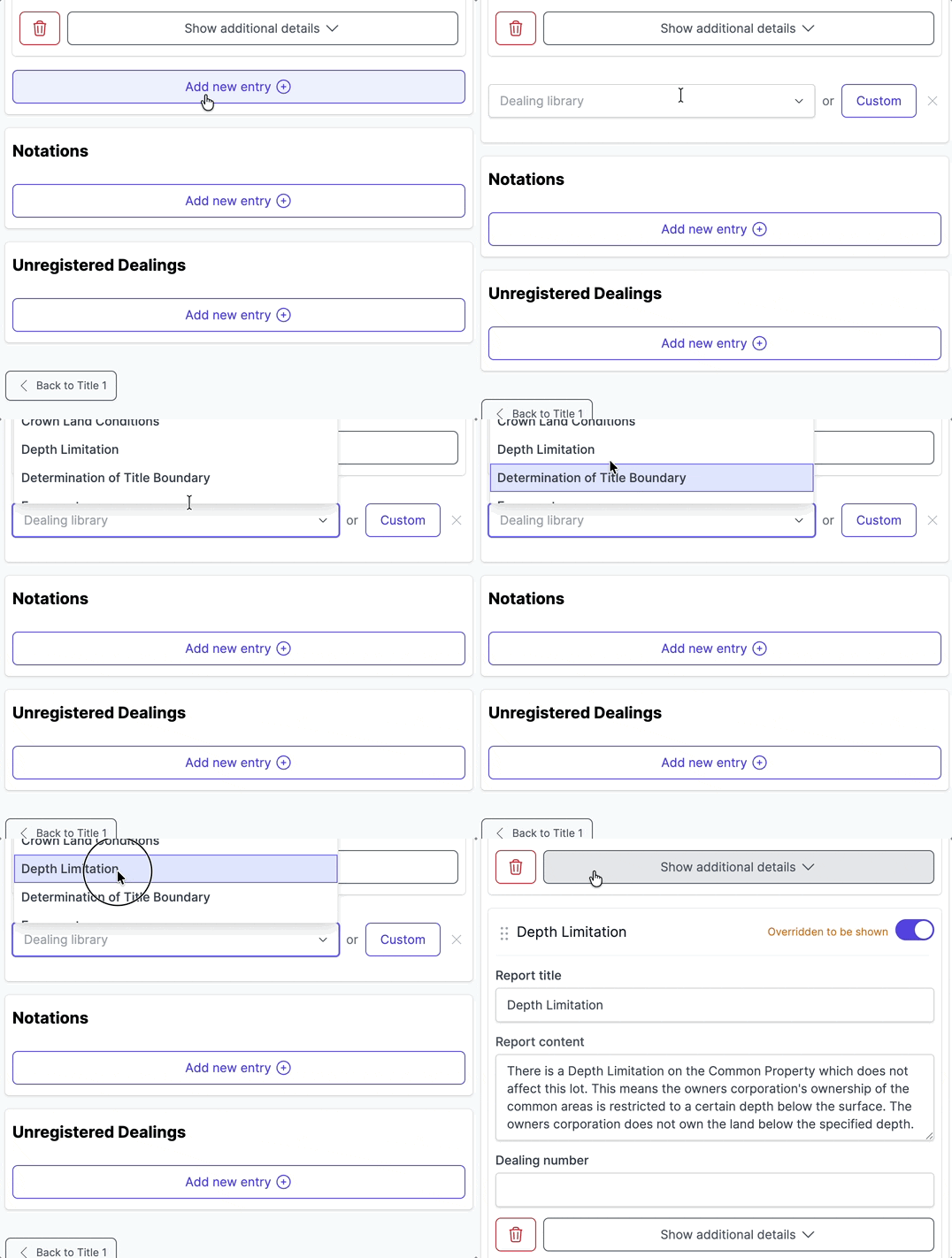
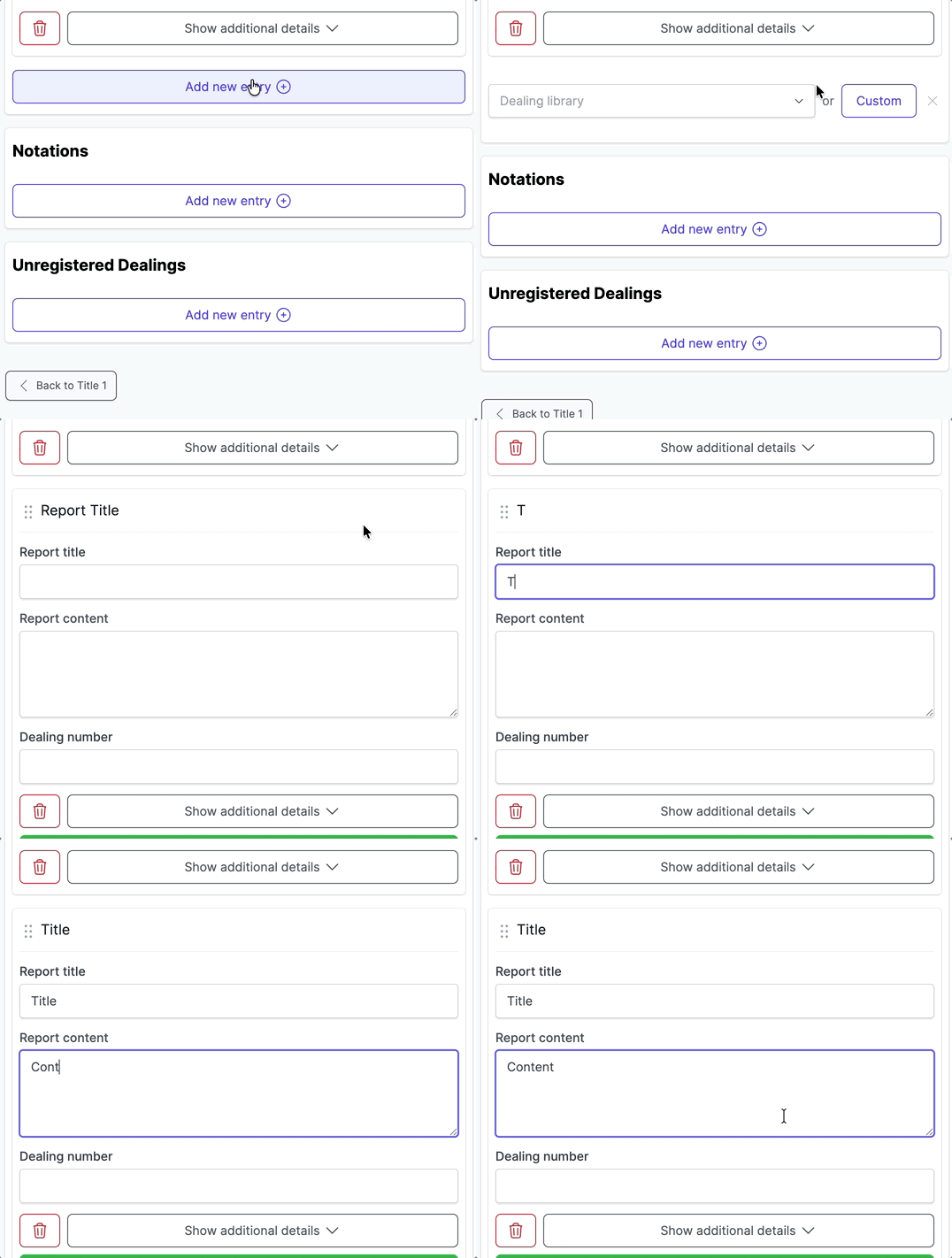
The Dealings section on each title search has a Dealing library dropdown at the bottom for adding a standard dealing or a custom one not picked up automatically. Pick a dealing from the dropdown, or click Custom to create a one-off entry. A custom entry can be saved back to the Library with Add to library - see Adding content to library during review.
The Notations and Unregistered Dealings sections each have their own Add new entry button.
Custom dealings
Custom dealings cover encumbrances outside the standard catalogue. Compared to standard dealings:
- You enter the details yourself; Curia doesn’t extract custom dealings from the title search.
- A custom dealing saved to the Library is available across every review in the account. See Managing dealings.
- The master Show all / Hide all toggle on the title search doesn’t affect custom dealings.
Custom dealings don’t carry enrichment, and they don’t trigger a Prescribed warning if the dealing document is missing.
Deleting a dealing
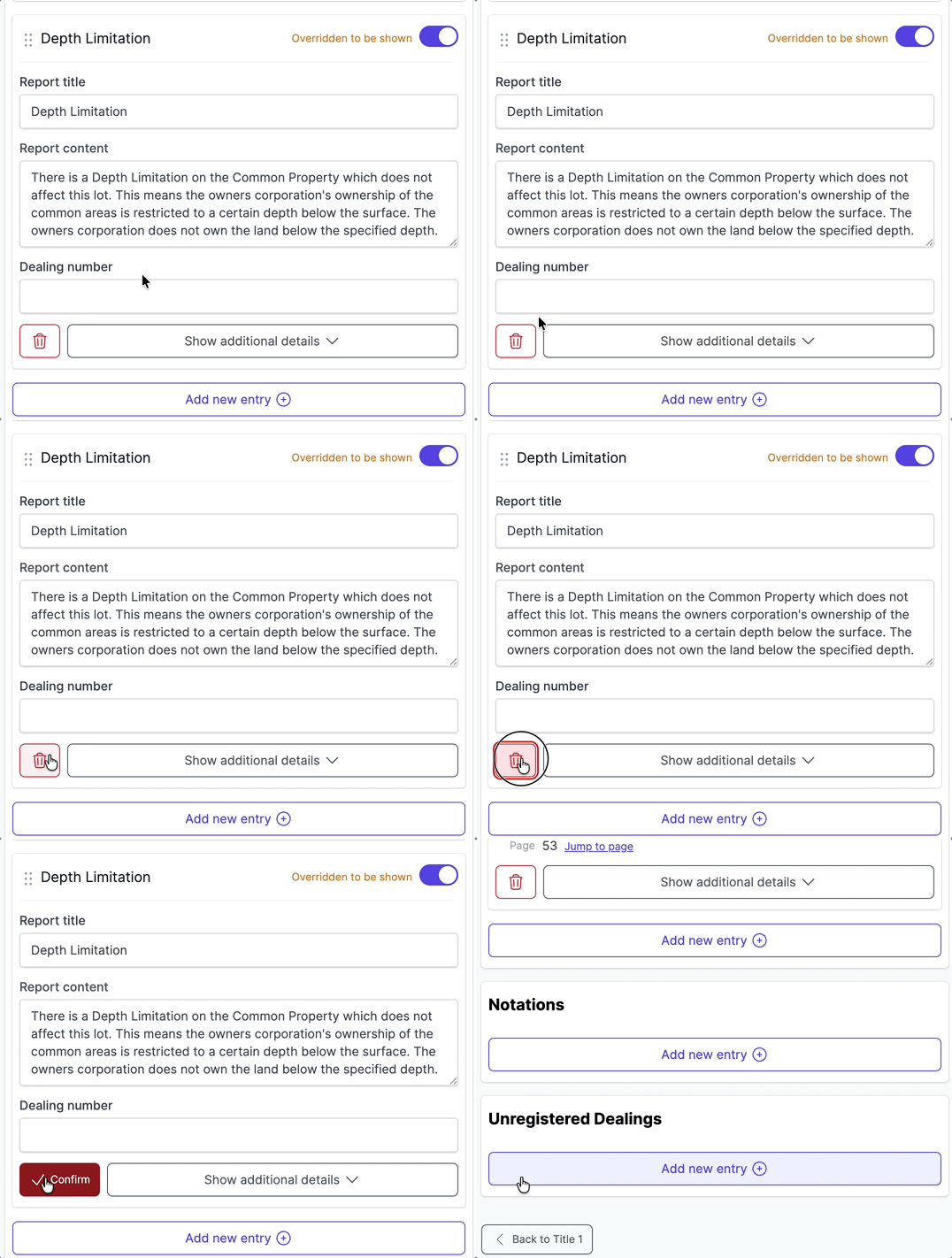
Click the bin icon on the dealing card and confirm in the dialog.
Notations and unregistered dealings
Notations are administrative records on the title search that don’t create rights or obligations - for example, PRIOR CERTIFICATE OF TITLE 5/1234567 (CANCELLED), which records a superseded title in the property’s history. Curia extracts notations alongside dealings and lists them in their own section. Add, edit, or remove them like any other field.
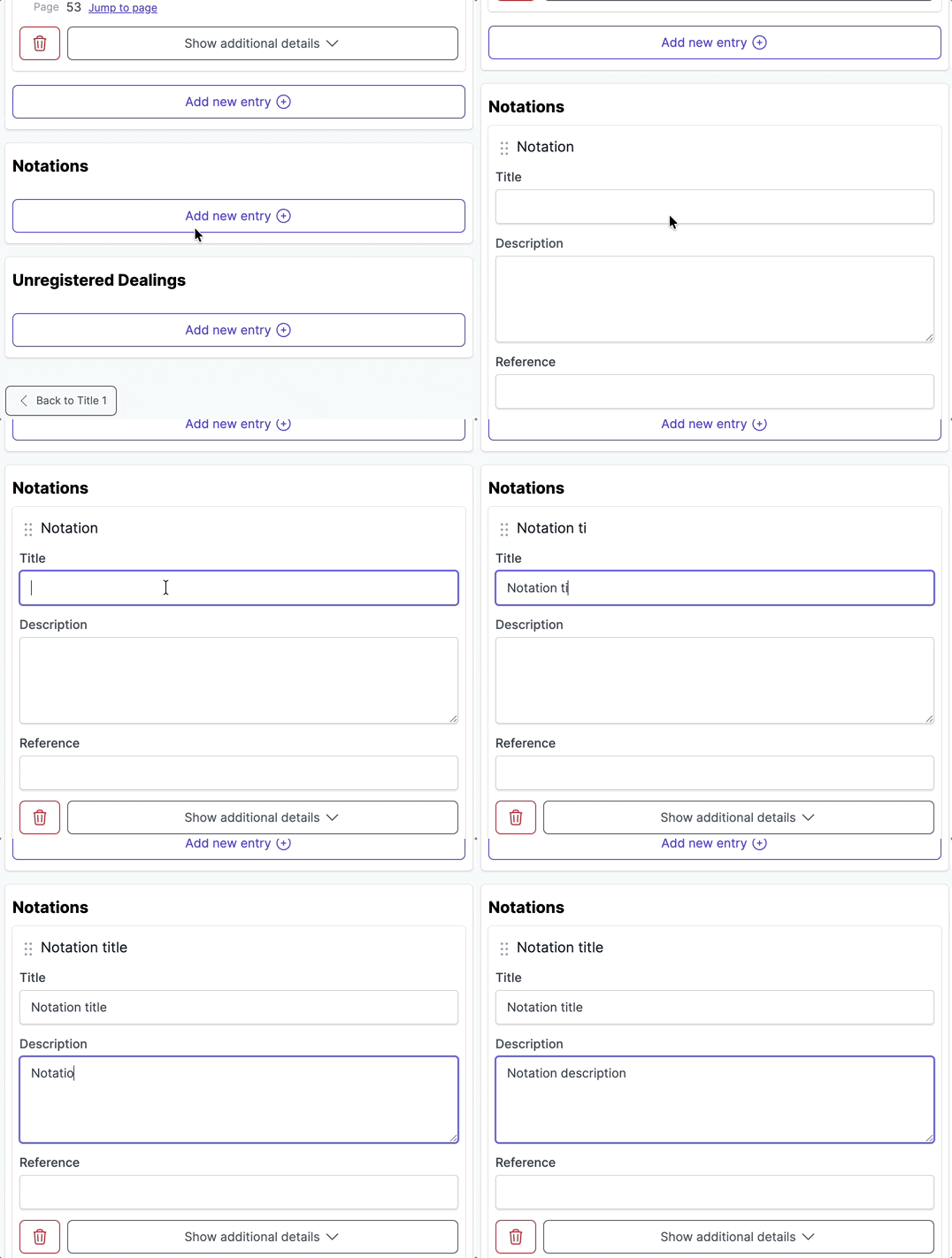
Unregistered dealings are agreements that have been lodged but not yet registered against the title - for example, UNREGISTERED LEASE AF123456. They sit in their own section under the dealings list.
FAQ
What does “enriched” mean?
Curia has read detail directly from the dealing document - the exact easement location, specific covenant obligations, and so on - and used that in the report rather than the generic Library text.
Why does a dealing show a warning?
The dealing’s category is marked Prescribed and the dealing document isn’t in the contract. Either source the document (and update the contract), or accept the warning and let the automatic amendment go out.
Can I add a dealing that wasn’t picked up?
Yes. Use the Dealing library dropdown at the bottom of the dealings list to add a standard dealing or a custom entry.
How do I hide a dealing from the report?
Use the visibility toggle on the dealing card. The master Show all / Hide all toggle on the title search does the same for every standard dealing at once.