Adding content to the Library during a review
Save a custom clause or dealing you've created in a review back to the Library, so it's available next time.
When you create a custom clause or dealing during a review and want to use it again, save it to the Library straight from the review.
How to save
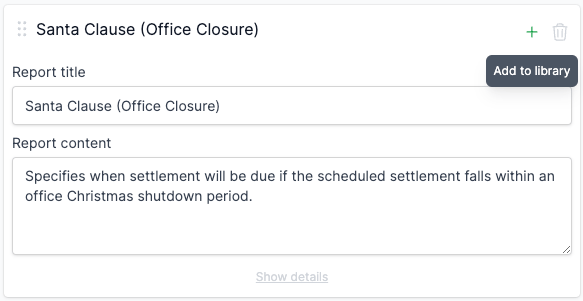
On the custom entry’s card, click Add to library at the bottom. The entry stays on the current review, and a copy goes to the Library.
The button shows when:
- You have admin access to the Library.
- The entry was created in the review (not picked from the Library).
- The entry hasn’t already been saved.
Where this works
- Special Conditions tab - custom clauses.
- Title Search tab - custom dealings.
What gets carried over
For a clause, the saved Library entry takes the report title, report content, comment, risk, and recommendation (amendment and client text). Its Status is Active.
For a dealing, the saved Library entry takes the report title, the report content (recorded against the title-search type the dealing was added to - for example Lot or Common Property), comment, and recommendation. Tags, risk, and status don’t apply to dealings.
FAQ
Who can save to the Library?
Admin users and account owners.
Does saving change the review?
No. The entry stays in the review unchanged. Saving creates a Library copy for future reviews.
Can I edit the saved entry later?
Yes. Open Settings > Library, find the entry on the relevant tab, and edit it as normal. See Managing clauses or Managing dealings.