Plan and billing
How Curia billing works, how a credit subscription adds bonus credit on what you pay, and how to subscribe, upgrade, downgrade or cancel.
Curia has two ways to pay:
- Pay as you go is the default. You are charged your service rate for each billable event at the end of the month.
- A credit subscription pre-purchases a block of credit and adds a bonus on top, so your balance is worth more than you pay. Credit is applied to your usage at your service rates and used first as you work; once it runs out, further usage is charged at those rates as pay as you go.
Current plans and pricing are listed at curia.com.au/pricing.
Opening Plan & Billing
Plan & Billing sits under Account in the Settings sidebar. Only the Account Owner on your account can open it.
Your plan
When you have a subscription, the Your plan card shows the plan name, the renewal interval and the renewal date.

Changing from pay as you go to a subscription
Every account starts on pay as you go. To move to a credit subscription:
- Open Plan & Billing under Account in the Settings sidebar. Only the Account Owner can do this.
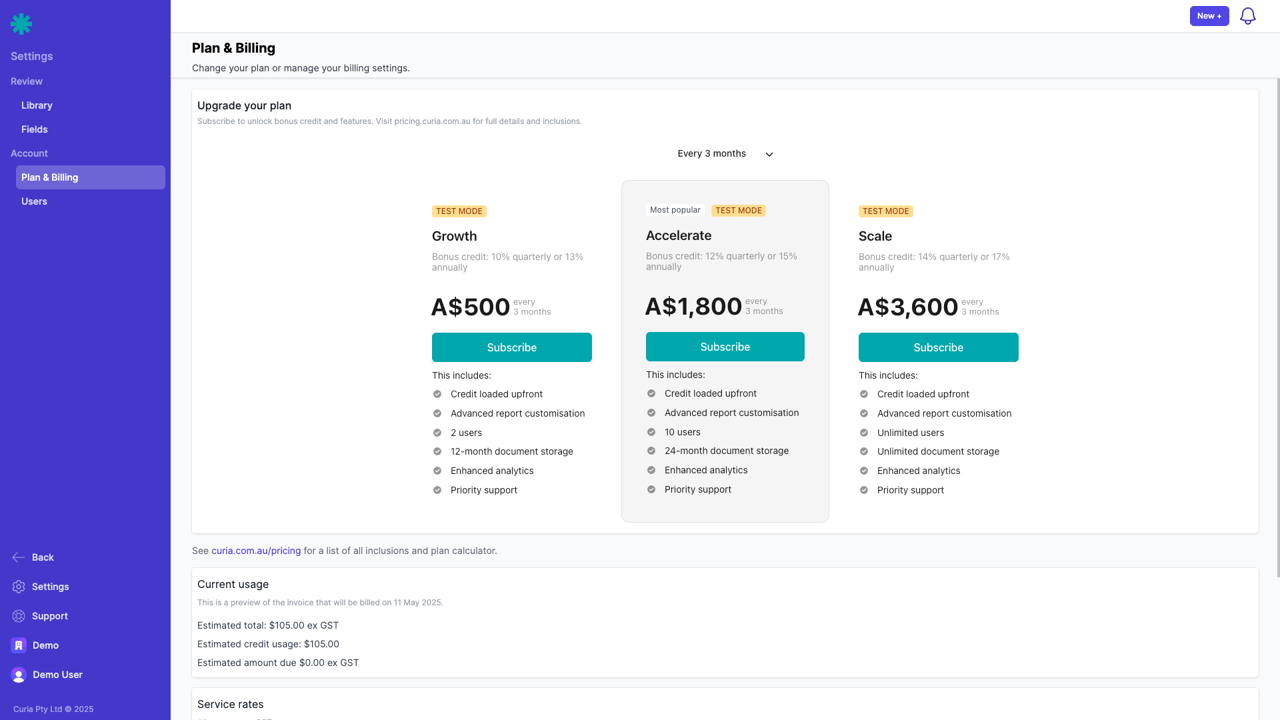
- On the Upgrade your plan card, compare the available plans and their pricing. Full inclusions and a plan calculator are at curia.com.au/pricing.
- Select a plan and complete checkout.
Once the subscription is active, the Upgrade your plan card is replaced by the Your plan card, and the credit you bought plus the plan’s bonus appears on the Credit balance card.
Current usage
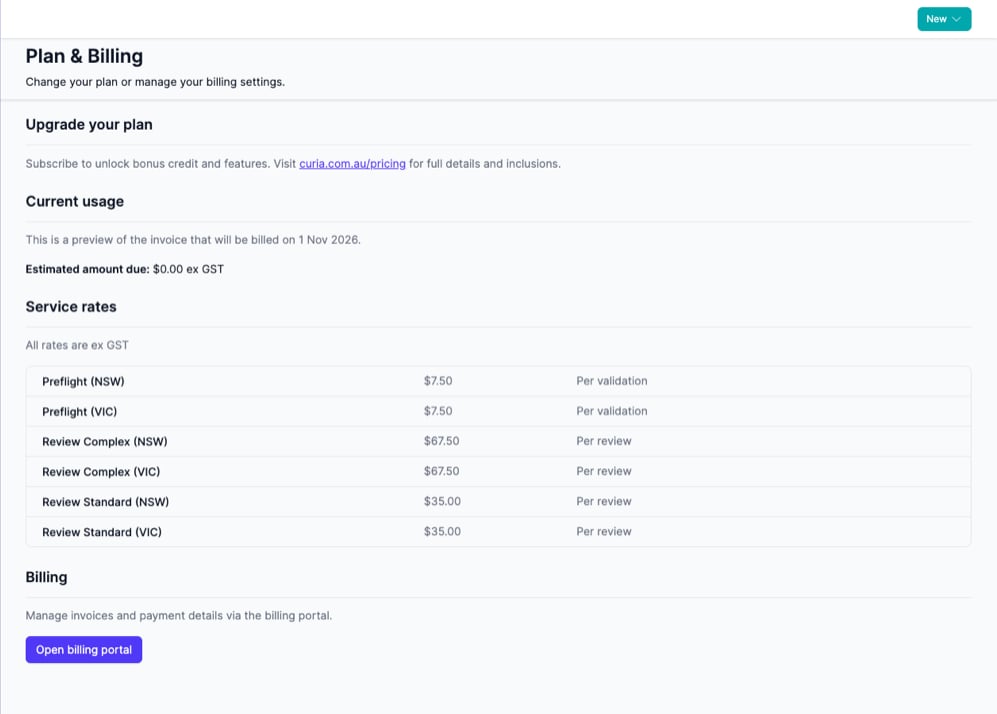
The current usage section shows the estimated usage for the current month.

How credits work
When your account has credit available, the Credit balance card shows the current amount. Credit is used before any additional charges are made. The balance does not include the current month’s usage; that is shown separately on the Current usage card as an estimate for the calendar month so far.
The Service rates card lists the rate Curia charges for each billable service, ex GST.
Credits remain available for 12 months from the end of the subscription period in which they were granted.
Operating in multiple states
When an account has multiple active states, all usage items appear alongside each other and usage is metered separately for each state. The Current usage and Service rates cards list the per-state items individually. See Active states for how active states are configured.
Upgrading your plan
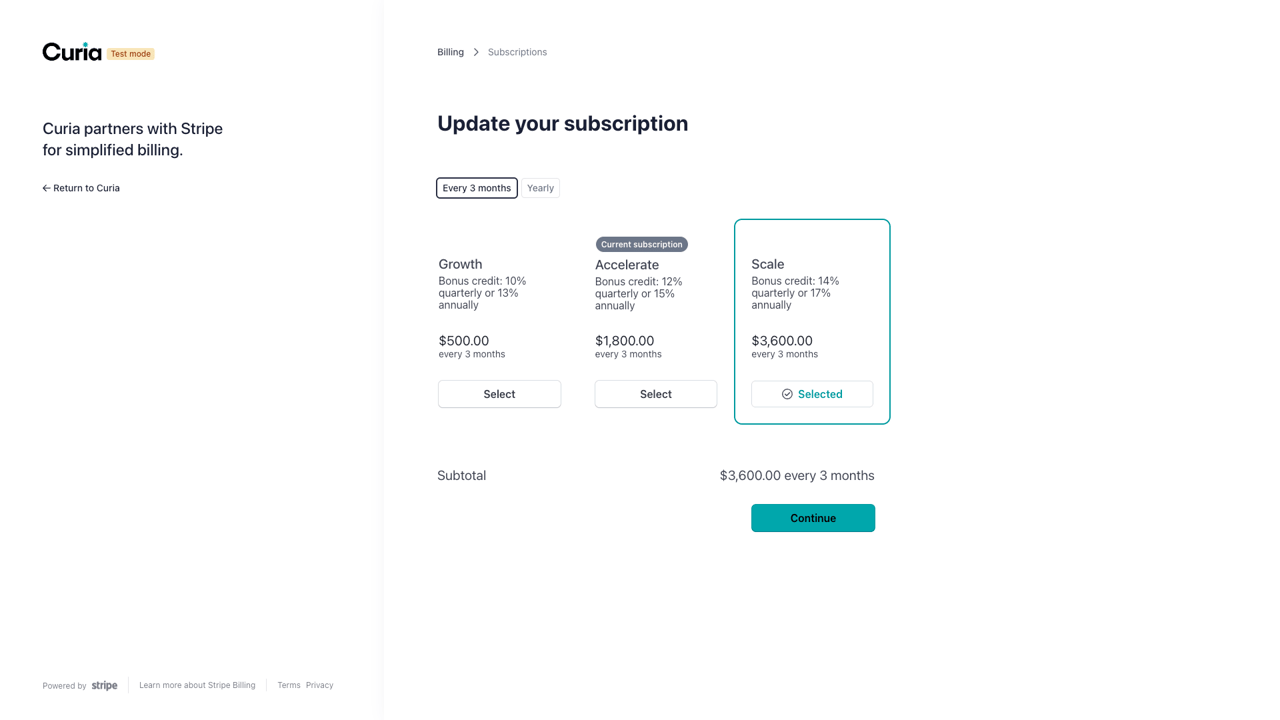
To move to a larger credit plan, open Plan & Billing, click Open billing portal and update the subscription in the billing portal. Additional credit is added to your balance immediately, and any charge is pro-rated for the remainder of the current billing period.
Downgrading your plan
To move to a smaller credit plan, open Plan & Billing, click Open billing portal and update the subscription. The new plan takes effect at the end of the current billing cycle. Any credit on your account stays available until it expires.
Invoices and payment methods
The Billing card has an Open billing portal button. The billing portal is where you view past invoices, manage payment methods and update your subscription.
By default, Curia emails an invoice for each month’s usage for you to pay manually. Adding a payment method switches the account to automatic billing, where each invoice is charged automatically at the end of the billing cycle.
Adding a payment method
- Open Plan & Billing under Account in the Settings sidebar. Only the Account Owner can do this.
- On the Billing card, click Open billing portal.
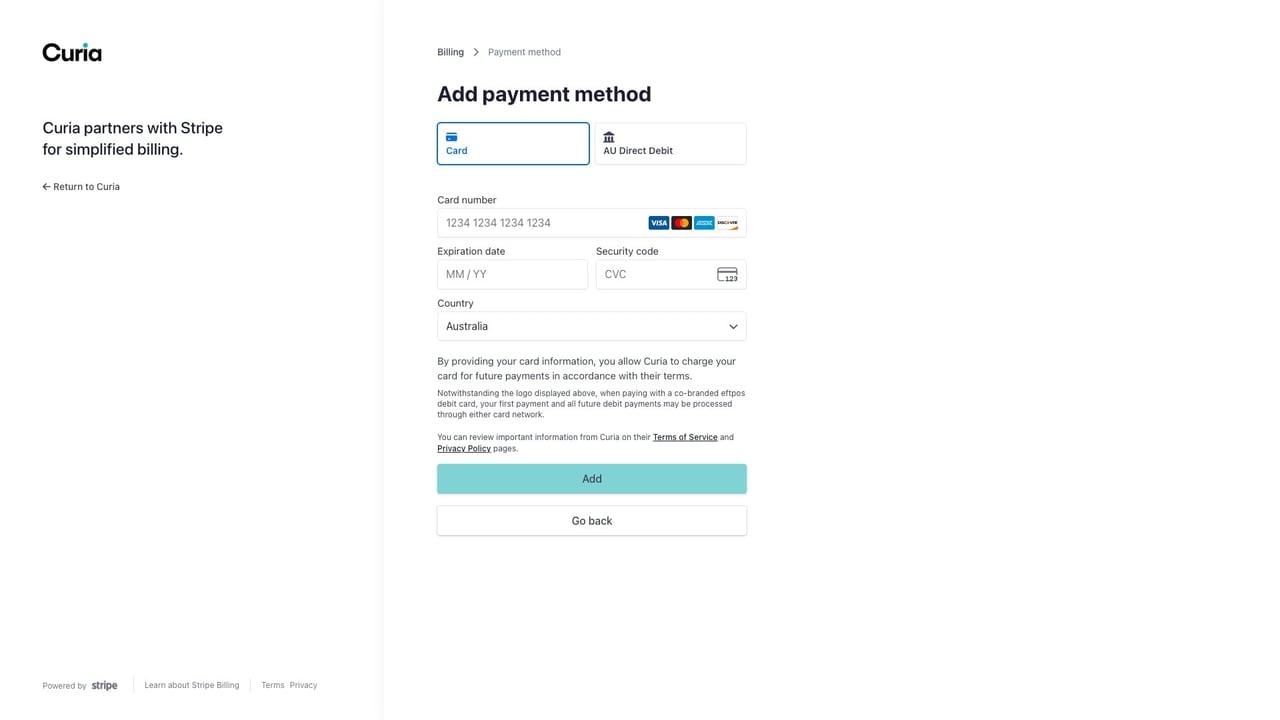
- Under Payment method, click Add payment method.
- Choose Card to pay by credit or debit card, or AU Direct Debit to pay from an Australian bank account.
- Enter your details and click Add. The payment method is stored against your account, and future invoices are charged to it automatically.


To replace or remove a stored payment method, return to the billing portal the same way.
Cancelling your plan
The Cancel plan card is for ending your subscription at the end of the current billing cycle. Click Cancel plan to start a cancellation request with Curia support.
After cancellation, any remaining credit stays available for 12 months from the end of your subscription period. Once credit is exhausted, the account continues on pay as you go.
FAQ
Do I need a subscription?
No, pay as you go is the default. A credit subscription is worth it once you review regularly: you get bonus credit on top of what you pay, so your balance is worth more than the plan price.
What happens when my credit runs out?
Usage is charged at your service rates as pay as you go. There is no notification when credit reaches zero.
Can I switch back to pay as you go?
Yes. Cancel your subscription from the Cancel plan card. Any remaining credit is still applied first as you use Curia; once it expires or is consumed, the account is back on pay as you go.