Managing dealings
Customise how each dealing type appears in your reviews - default visibility, report title, and per-property-type report content.
The Dealings tab of the Library lists every dealing category Curia recognises and the per-account configuration for each. Settings here apply by default to every new review in the account; individual reviews can still override them. Admins can also change a dealing’s default visibility from a review. See Setting a firm default from a review.
The list is state-scoped. In accounts that operate in both states, use the Change State dropdown above the table to switch between NSW and VIC.
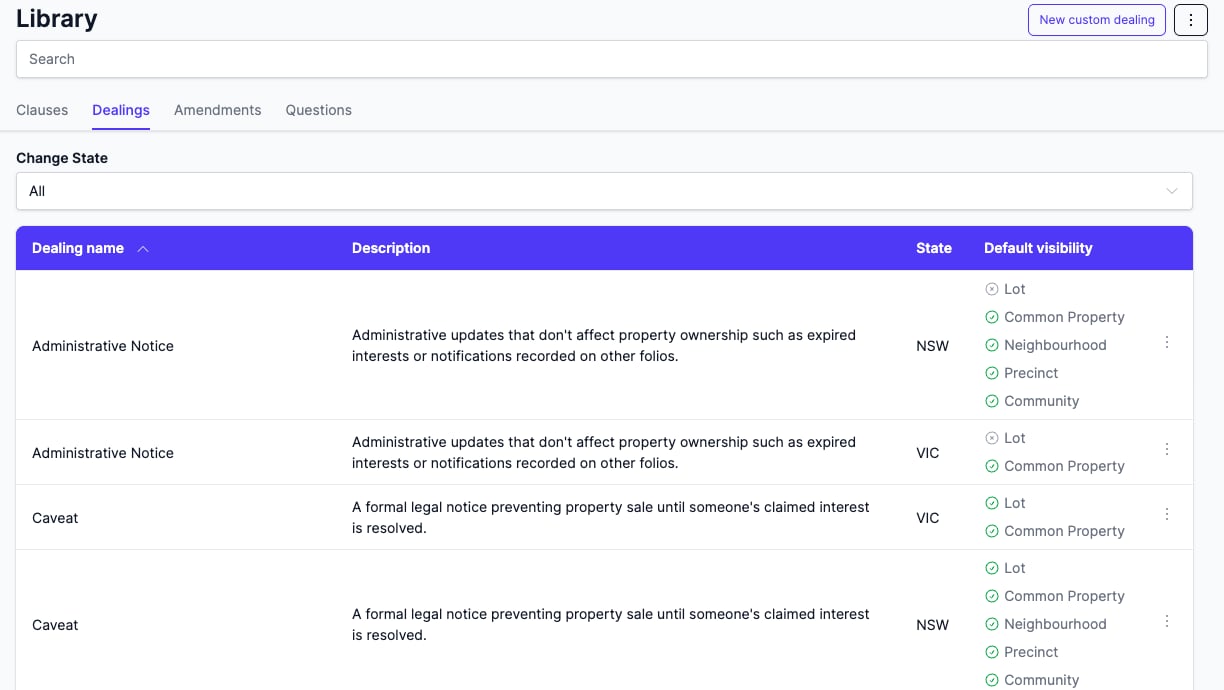
Default visibility per property type
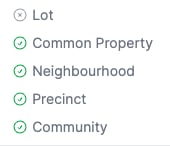
Each row is a dealing category. The Default visibility column shows one indicator per property type the dealing can apply to:
- A green tick - the dealing is visible by default for that property type.
- A grey cross - the dealing is hidden by default but can still be added manually.
Custom dealings show Custom in this column instead. Property types the dealing doesn’t apply to are omitted from the row. The set of property types varies by state.
NSW NSW: details specific to New South Wales reviews
NSW dealings can apply to Lot, Common Property, Neighbourhood, Precinct, and Community. Community Management Statement, for example, only shows an indicator for Community; Lot and the others are omitted because they don’t apply.
VIC VIC: details specific to Victoria reviews
VIC dealings can apply to Lot and Common Property. The Community, Neighbourhood and Precinct property types don’t apply to VIC categories and are omitted from every row.

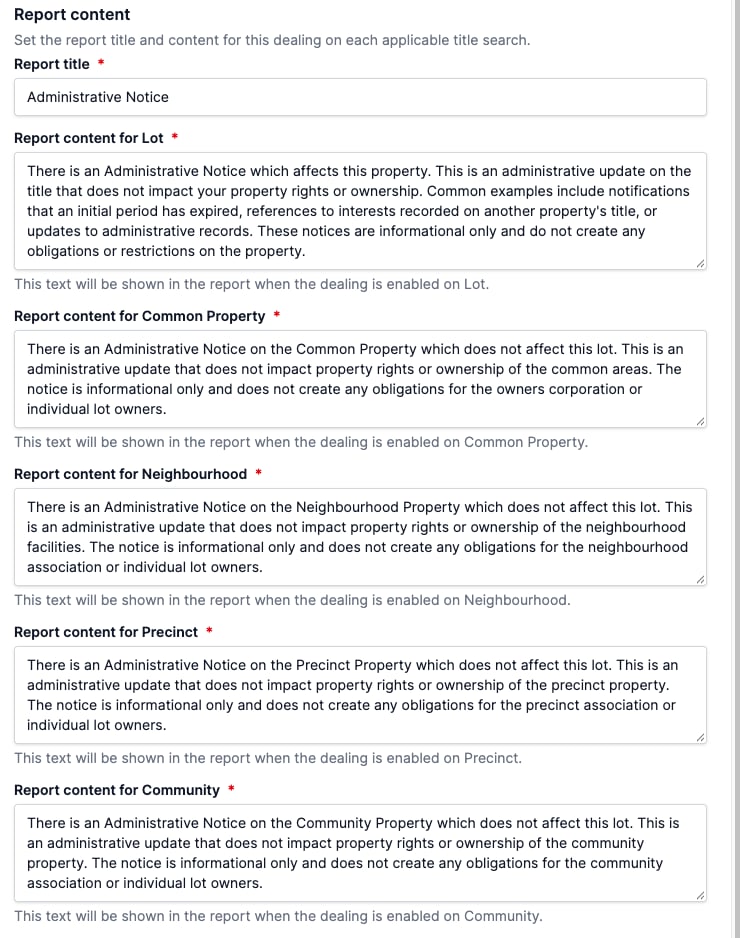
Editing a dealing
Click a row to open the dealing in the side pane.
- Default visibility - tick or untick a property type to make the dealing visible or hidden by default.
- Report title - the heading used in the client report for this dealing. Applies to all property types.
- Report content - the body text. Configured separately for each applicable property type, so a covenant on Common Property can read differently from the same covenant on a Lot.
- Comment and Recommendation - the comment and the amendment wording and client recommendation applied when the dealing is added.
Changes apply to future reviews only.
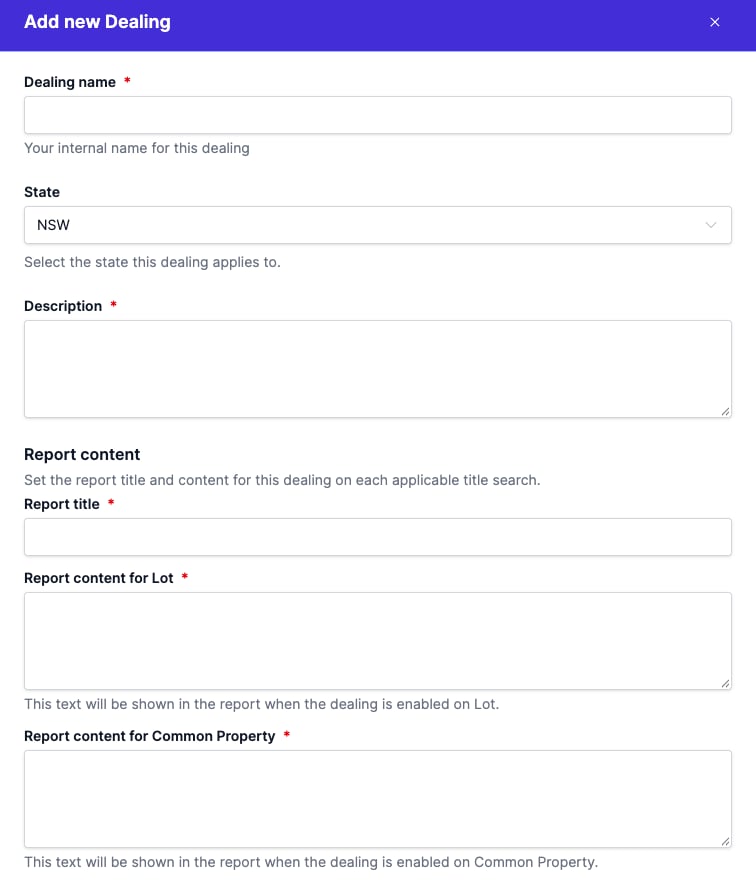
Custom dealings
For encumbrances outside the standard catalogue, click New custom dealing. Provide:
- State - shown when your account operates in more than one state. Locked after creation.
- Dealing name - your internal name.
- Description
- Report title, and Report content for each property type.
- Comment and Recommendation (optional).
Custom dealings:
- Apply to every property type in their state.
- Are not auto-matched against title searches; you add them to a review by hand.
- Can be removed with Delete, from the row action menu.
FAQ
NSW NSW: details specific to New South Wales reviews
What does “prescribed” mean on a dealing?
Some standard dealings are flagged as prescribed: when a title search includes one and the contract doesn’t, Curia raises a warning on the title search during review.
How do I add a dealing during a review?
On the Title Search tab of a review, click Add new entry and pick a dealing from the dropdown, or click Custom to create a one-off entry. You can save the one-off back to the Library with Add to library - see Adding content to library during review.
Do Library changes affect reviews that are already open?
No. Library changes apply to future reviews only. Reviews already open keep the configuration they had at the time.