Area converter
Convert area measurements between units when entering land area, unit area, car space, storage space, or other space.
The area converter sits below every area input on the Area tab. Open it to enter a value in one unit (square feet, perches, hectares, and so on) and write the converted result back to the field in your chosen display unit.
Opening the converter
On the Area tab, click Open converter below any area field.
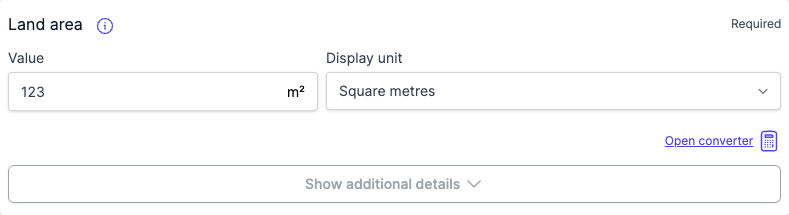
Converting a value
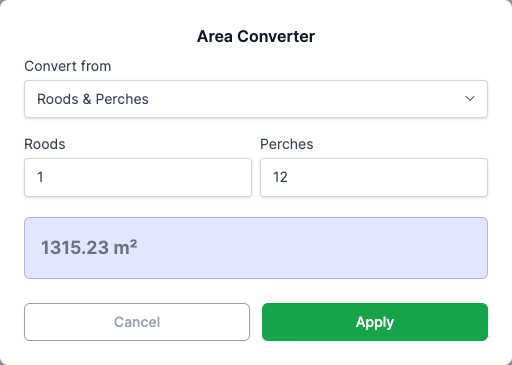
- Pick the input unit from the Convert from dropdown.
- Type the value.
- The preview shows the converted result in your selected display unit.
- Click Apply to write the value back to the field. The converter closes.
Supported input units: square metres (m²), square feet (ft²), perches, roods & perches, square links, hectares, acres.
Changing the display unit
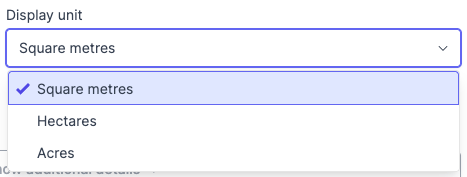
Each area field has its own Display unit dropdown alongside the value. Choose square metres (m²), hectares (ha), or acres. The field value and the report both use the selected display unit.
FAQ
Which units can I convert from?
Square metres, square feet, perches, roods & perches, square links, hectares, and acres.
Which units can I display in?
Square metres, hectares, or acres.
Does Apply overwrite the existing field value?
Yes. The converted value replaces whatever was in the field.