Creating and managing contacts
Create, edit and delete individual and company contact records in Curia, including trustees buying through a trust.
Creating a contact
Click New contact on the Contacts page to open the contact dialog. Choose the Contact type at the top.
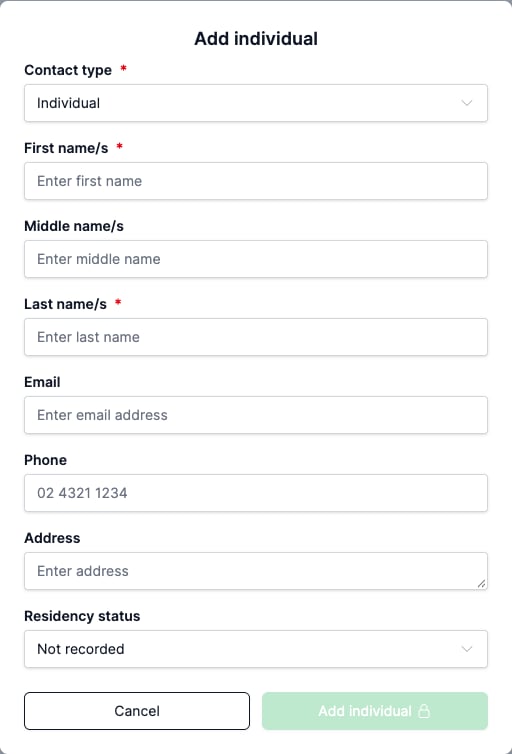
Individual
Enter the person’s details:
- First name/s (required)
- Middle name/s
- Last name/s (required)
- Phone
- Address
- Residency status
Company
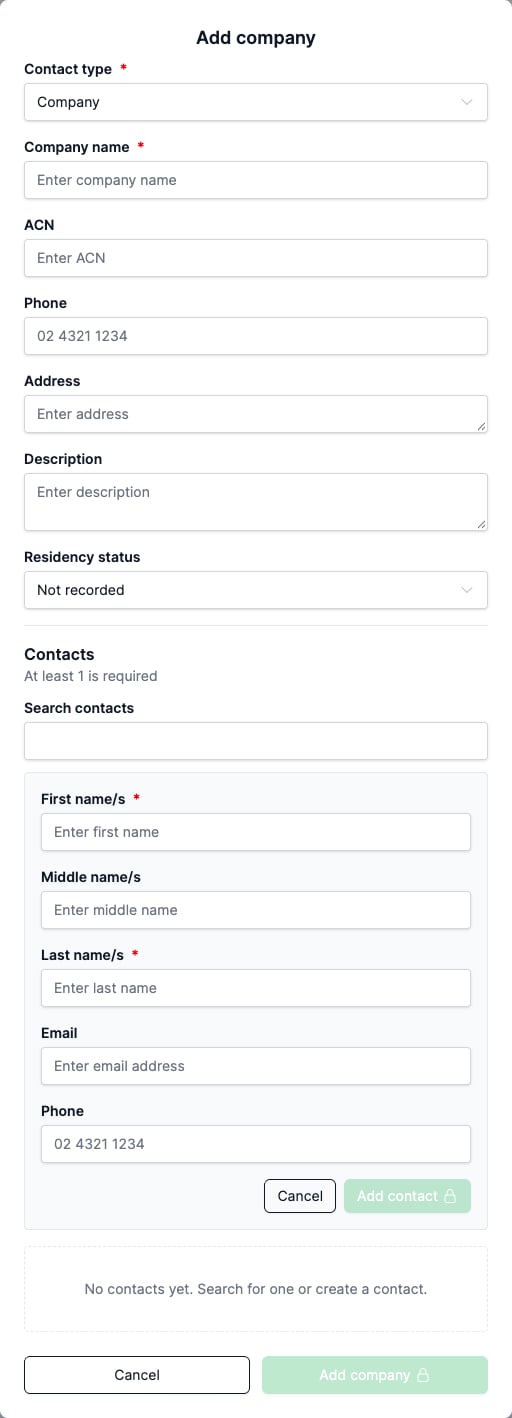
Enter the company details:
- Company name (required)
- ACN
- Phone
- Address
- Description: internal notes about the company.
- Residency status
Add at least one person in the Contacts section, either by searching for an existing individual or by creating a new one.
Companies have their own residency options, separate from those for individuals. Residency status can be left as Not recorded and set later on the contact’s profile or on the Client tab of a review. A review can’t be finalised until each linked contact has one.
Trustees
A trust is recorded through its trustee. Create the trustee as an individual or a company, then link it to the review and set its capacity as trustee on the Client tab. A company acting as trustee is a company contact.
Editing a contact
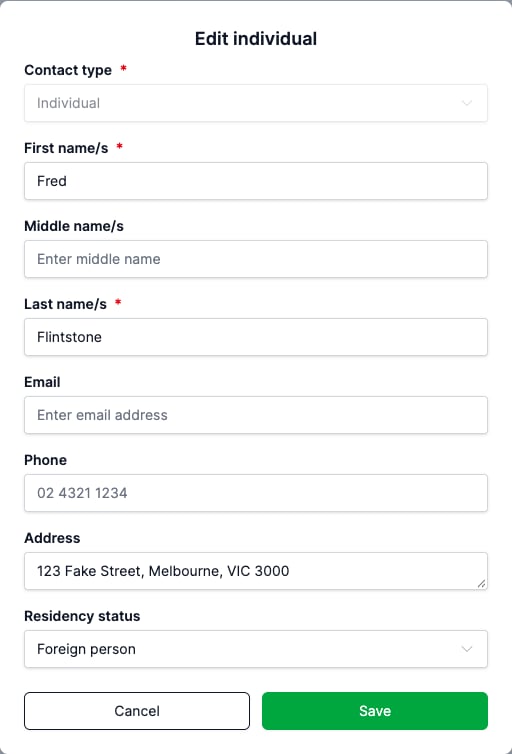
Open the contact’s profile and click Edit to edit the fields in place, then click Save, or Cancel to leave them as they were. You can also click a single field to edit it on its own. Type is locked once the contact is created.
For a company, click New contact in the Contacts section to open the Contacts side panel, where people can be added or removed. Click Save to apply the changes. Removing an individual only unlinks the relationship, the individual record is preserved.
The action menu on a contact’s row in the Contacts list also has Edit, which opens the Edit individual or Edit company dialog with the same fields.
Deleting a contact
On the Contacts page, open the action menu on a contact’s row and choose Delete. Confirm in the dialog.
Deleting an individual removes that individual entirely. Any company the individual was linked to survives without them.
Deleting a company removes the company but preserves the linked individuals as standalone contacts.
FAQ
Why can’t I see the New contact button?
The button is hidden while a practice management integration is connected. New contacts must be created in the source system.
Can I remove an individual from a company without deleting the individual?
Yes. Open the company’s Contacts side panel, remove the individual and click Save. The individual record stays in your Contacts.
Why can’t I delete a contact?
A contact can’t be deleted while it is linked to any reviews. Unlink it from each review on the Reviews tab of the contact’s profile, then delete.