Linking contacts to reviews
Link client contact records to a review to record who it is being done for and find reviews by client later.
Linking contacts to a review is optional. You can complete a review with no contacts linked, and you can add or remove contacts at any time.
Linking on upload
The upload doesn’t link contacts directly. Instead, you link the contract to a matter, and the matter’s purchaser contacts come across to the review as its client contacts. See Linking reviews to matters.
You can adjust the review’s client contacts afterwards on its Client tab.
Linking from a review
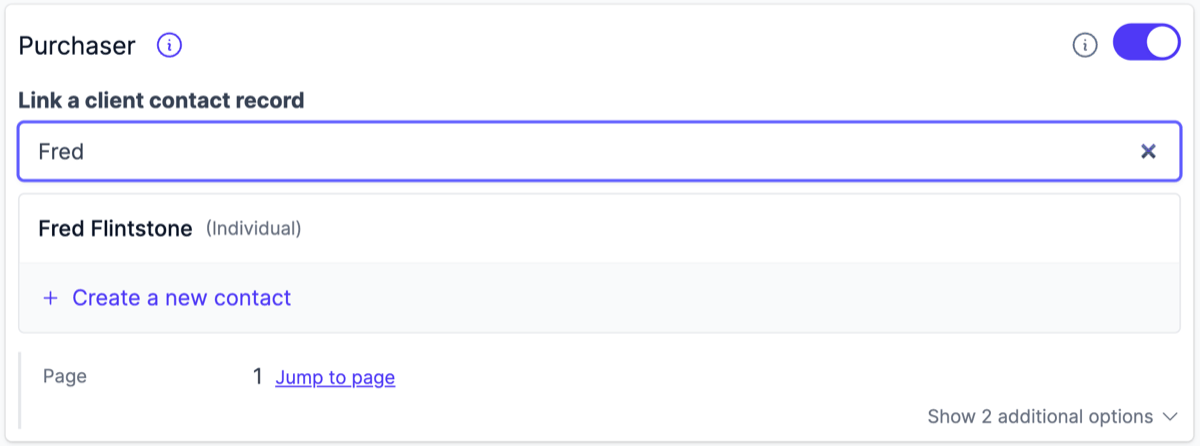
On an existing review, open the Client tab and search by name under Link a client contact record. Click a search result to link it.
Link as many contacts as the review needs, using Link another contact after the first. For a joint purchase, link each purchaser as a separate contact, for example both spouses.
Each linked contact carries a capacity and a residency status. For a purchase through a trust, link the trustee and set its capacity to act as trustee. See The Client tab.
A contact can only be linked to a review once. The search hides contacts that are already linked.
Unlinking
On the Client tab, click the remove button next to a linked contact to unlink it. Unlinking removes the relationship only; the contact and the review are both preserved. Any ownership shares entered for the purchasers are cleared.
Suggested contacts
Purchasers named on the contract particulars who aren’t linked yet are listed on the Client tab, each with suggested contacts to link or a Create contact action pre-filled from the contract. See The Client tab.
Name match against the contract
Curia checks that each linked contact’s name is written exactly as a purchaser on the contract particulars, ignoring letter case and spacing. A linked name that differs shows a Purchaser name mismatch notice on the Client tab, explaining why each name differs.
FAQ
Do I have to link contacts to a review?
No. Linking is optional. Reviews can be completed without any linked contacts.
Can I link the same contact to a review twice?
No. Each contact can be linked to a given review once.
Can I link imported contacts when an integration is connected?
Yes. Imported contacts can be linked the same way as Curia-created contacts. Only the creation of new contacts is disabled while an integration is on.